
As one of the experienced Tier Two Analysts in the Security Operations Center during Cisco Live Americas 2026, my job was to validate all the events coming into the queue from new SOC Analysts, who were expected to work with Tier 2 capabilities with the assistance of Agentic AI. The new SOC analysts were great at finding evidence, helped with triage and correlation by the AI agents in the SOC architecture. I would say they were like the first responders to an accident. They say what they think happened in the notes of the case and based on the evidence identified by the scene of the crime. They can tell a story remarkably close to what really happened with today’s technology. What Cisco has been able to do with the advancements of AI is promote that first responder into a full Investigator.
With the advancements in Cloud Control, our new SOC Analysts can validate their hypothesis. They had the ability to investigate the incident and find the root cause found in Splunk Security and Endace. Below, I am going to guide you through that process that elevated our new team of eight analysts with less than three days on the job, to being able to support an event sprawl of 199TB of data captured, over 62,000 unique clients, that then elevated into 187 incidents.
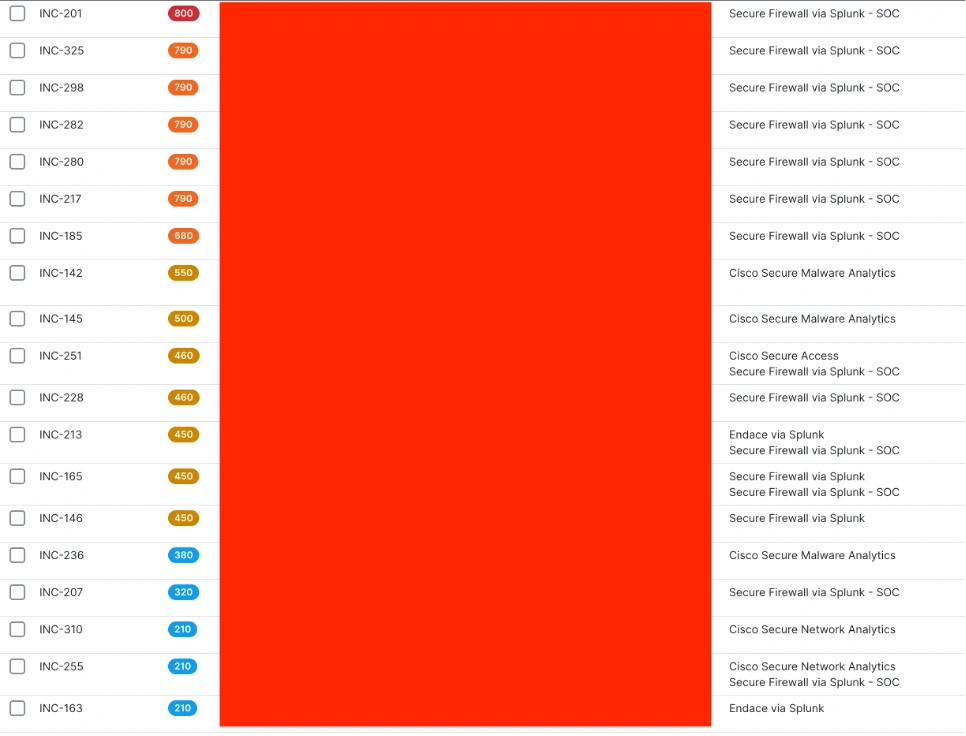
The Queue
When being a first responder, we have indicators just like a 911 dispatch, to direct someone with some previous education, on what all the signals and signs of the disturbance will mean and how to resolve it. Analysts can assign themselves to the numbered incidents that have lower or higher severity. They are also able to see a creation date, and activity date with indicators on who is assigned to each incident (not shown).
Instant Attack Verification
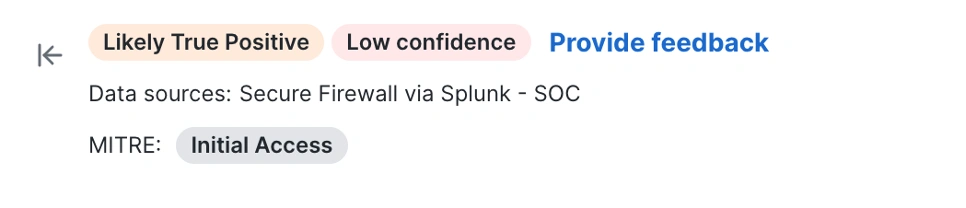
In each Incident, the SOC Analysts is given an AI generated Summary stitching all the relevant logs from all the sources that are related to the objects in question. In this summary, a confidence rating on the type of compromise and what Tactic or Technique it might include in its analysis. Below you can see that this incident is likely a True Positive (meaning the detection looks real) and there is Low Confidence meaning (there wasn’t enough evidence to support the Initial access request, as we did not have an agent installed on the device of the conference attendee). So, where do we go from here? AI has validated the traffic but not the reason as to why it is happening in the first place.
Pivot to Endace
Endace is a beautiful product that records and gives full packet capture throughout the whole event. I asked the new recruits to follow the data and find the story on the incident. Why find the story? Bad URLs and applications are not things people do normally; there must be a reason as to how this was triggered. Maybe someone left a service running on their computer; an email was sent unencrypted, or their password was in the clear using a service that is not secure. We can pivot to Vision with Endace from any of the SOC tooling, to find all that data during that time frame, track down the user, and inform them of the security issue so they can communicate securely in the future.

Endace Power
The pivot hyperlink opens you into Endace with an Applied Filter to the IP node you just pivoted from. You are using a directionless filter, and it gives you 10 minutes of data from the timestamp you came from in your incident. Also included in the window is all the traffic by Application.
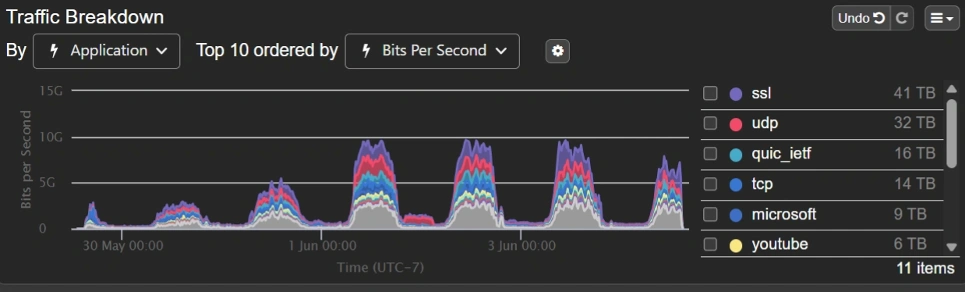
Chords of Conversation
The window also Includes a wheel of lighting, showing all the other nodes communicating to the node in question during this investigation period. When we see the data to all the other places this is giving us, it paints a picture of what was going on at that node. The brighter and thicker the Chord the more data moving through it. The goal is to find the communication to hopefully the other endpoint in the incident.
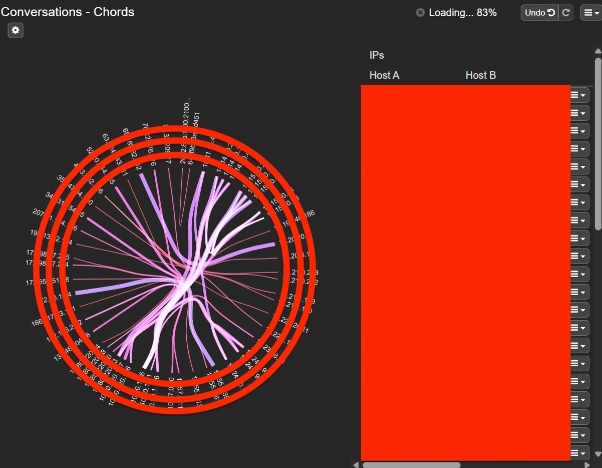
Change the conversation between just the source and destination in the incident to find out what might be triggering the event.


So, you can identify just the conversation you are looking for and the applications running.


Now that you have found the communication this incident has a data size of 11MB. 11MB of data doesn’t just appear without reason. Investigate further. Open into Wireshark by clicking on the tools in Endace.
Here you get all the data that happened durring that time frame; and you can hopefully find some credentials that lead you to the misconfiguration, malware, or password in the clear to educate the event attendee of how to secure their device in the future.
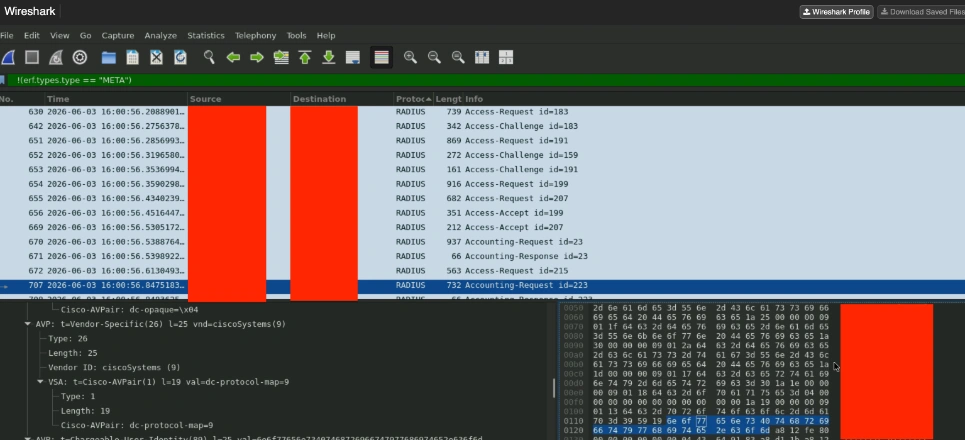
In summary, the advice given to the new SOC Analysts was to search further than a validated communcation from the AI agents, and see if there was more data to work with. Endace showed over and over that its worth Investigating further to resolve an issue with the tools within their fingertips. A little education and direction gave the Investigators a productive set of skills to resolve incidents with lessons learned for them and the attendees.
Check out the blogs by the engineers who worked inside the SOC at Las Vegas:
- Building the Agentic SOC at Cisco Live Americas 2026
- Building an Agentic Tier-2 SOC Analyst at Cisco Live AMER 2026
- The Experience Dividend: How Better Digital Experience Protects Revenue, Trust, and Growth
- Cable to Cloud – A Product Engineer’s Journey Through the Cisco Live AMER 2026 SOC
- What Working the Cisco Live SOC Taught Me About AI, Detection, and Response
- Educate at Event Speed: Inside the Cisco Live SOC
- Machine Speed, Human Judgement: How AI Changed the SOC in 2026
- SharpHound Recon Attack – How AI enhanced the threat hunt
- Endace: Using LLMs and Endace Full Packet Capture for Incident Response
- Endace: Never Underestimate Cisco Live!
- Endace: Supporting Encryption vs. Using Encryption: When the best laid plans go astray