Additional Contributor: Apaar Sanghi
Cisco Secure Firewall (CSF) is consistently adding new features and integrations, with many recent improvements involving logging and Splunk. One area of integration between CSF and Splunk that we worked on at Cisco Live Melbourne involved Enterprise Security Content Update (ESCU) detections in Splunk Enterprise Security (ES). In this blog post we’ll take a look at what Splunk ESCU detections are, some modifications we made to get these detections to work with our SOC logging configuration, and look at an example of how we used these ESCU detections in our SOC workflows.
Splunk ES has around two dozen ESCU detections for Cisco Secure Firewall. These can be accessed from ES by navigating to Security Content > Content Management and then searching for ‘Secure Firewall’.
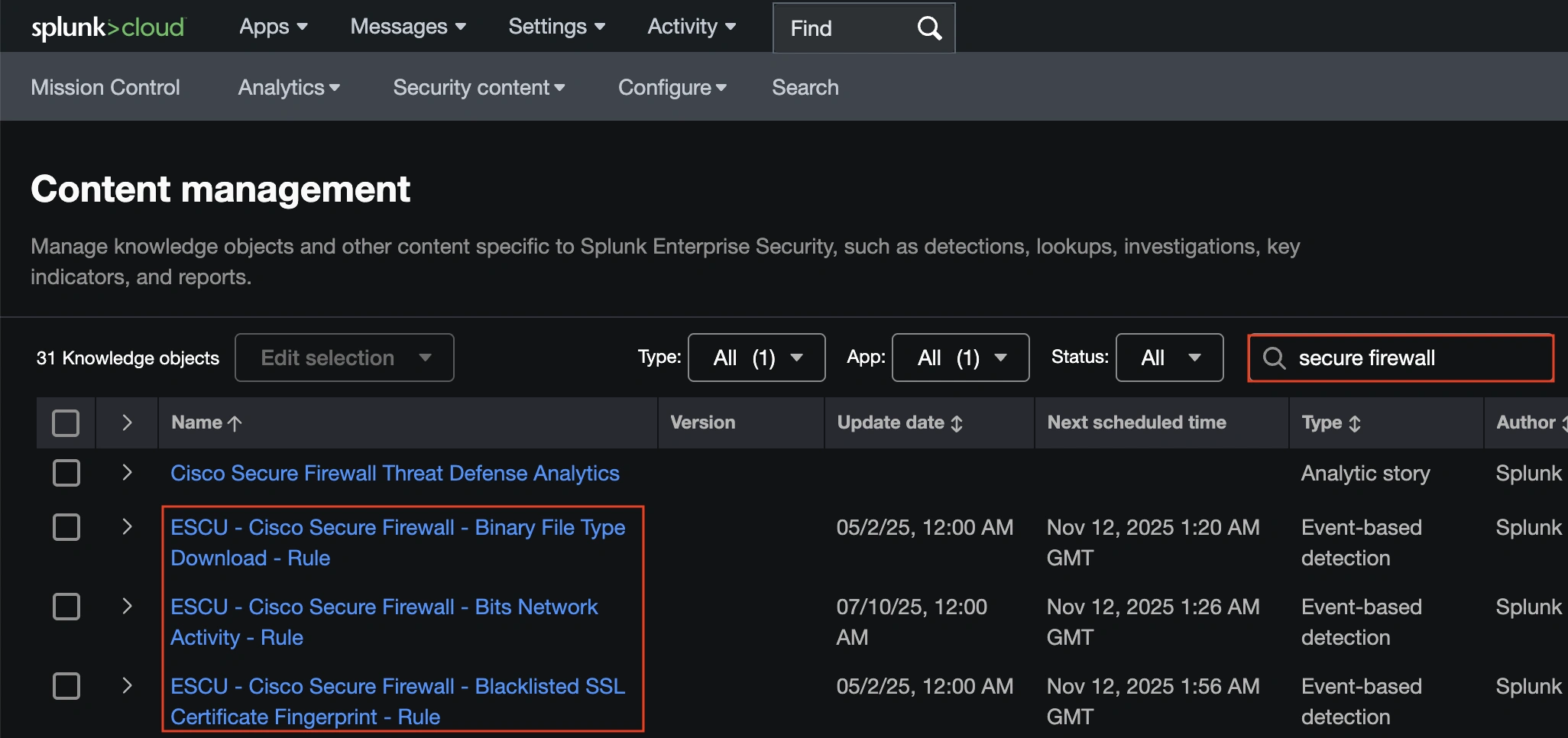
All ESCU detections for Secure Firewall reference the same macro, ‘cisco_secure_firewall’.
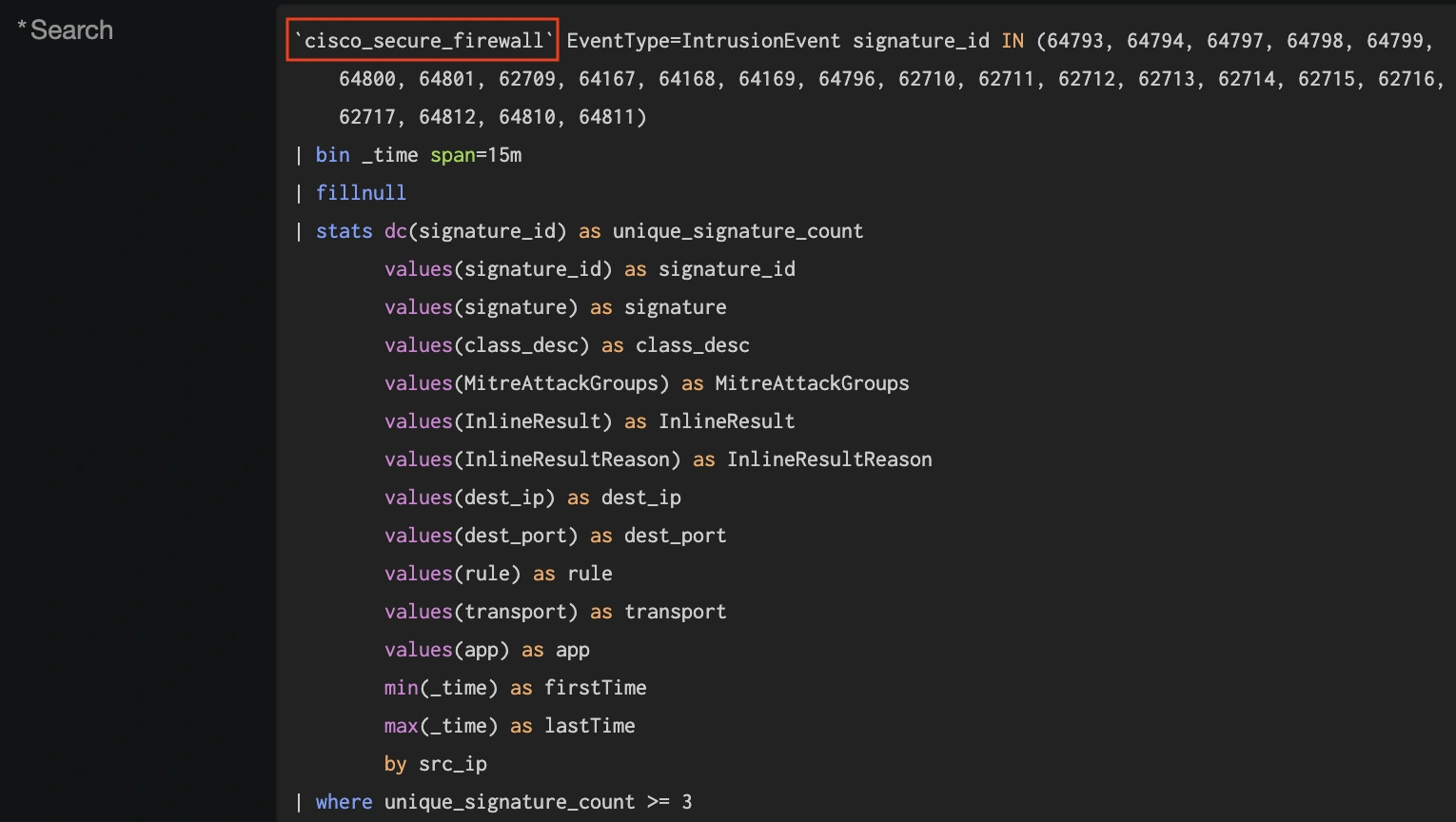
The default configuration for this macro references the eStreamer client, which is common for data ingest from CSF. However, Cisco now recommends syslog for new deployments, as syslog can deliver better ingest performance over eStreamer, and many improvements to syslog output are included in our 10.0 release and road mapped for future releases.
In the Cisco SOC, we try to stay on the cutting edge of configuration so that we can test new features, detections, and integrations. We transitioned our firewall log export to syslog a few conferences ago, and in Melbourne we decided to test the ESCU detections with syslog.
There are a few ways we can do this.
- We can modify the existing ESCU detections to point to a new macro.
- We can clone the existing ESCU detections and set a new macro on the clones.
- we can leave all of the ESCU detections alone and simply change the underlying macro they reference.
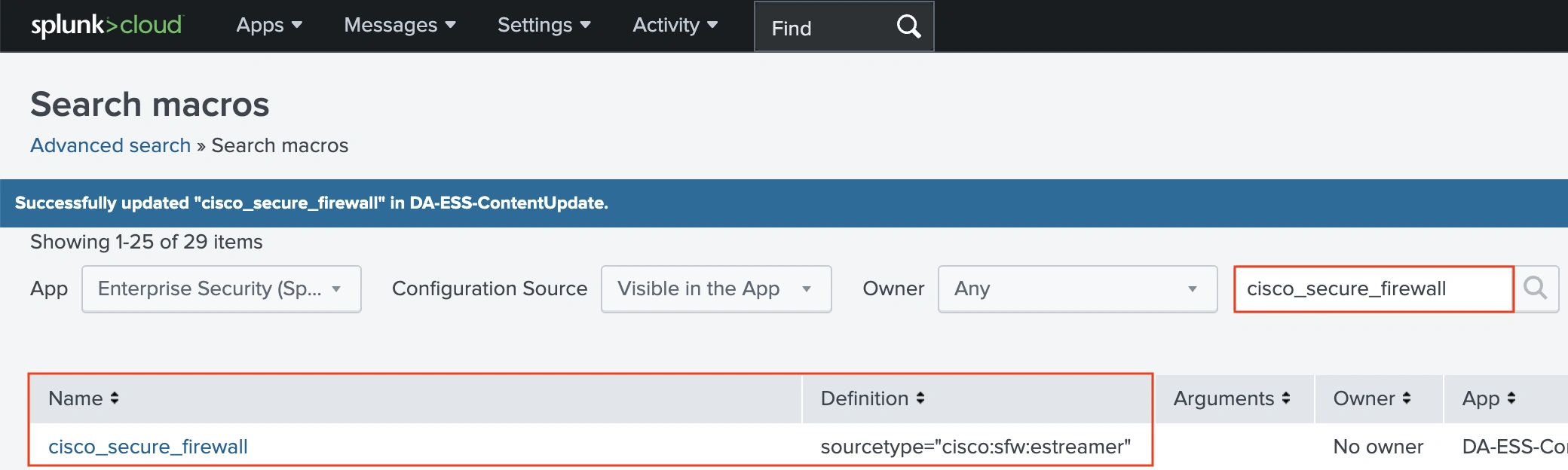
We opted for option 3 (though we did also do some customization via cloning). This required changing the macro pictured above by navigating to Settings > Advanced Search and then clicking ‘Search macros’.

Searching for the macro from the ESCU detections will show the Definition is set to sourcetype=”cisco:sfw:streamer”.
We can replace this with the sourcetype for our syslog, and we also need to define the index for our syslog. For the Melbourne SOC, our index is se_network_ftd.
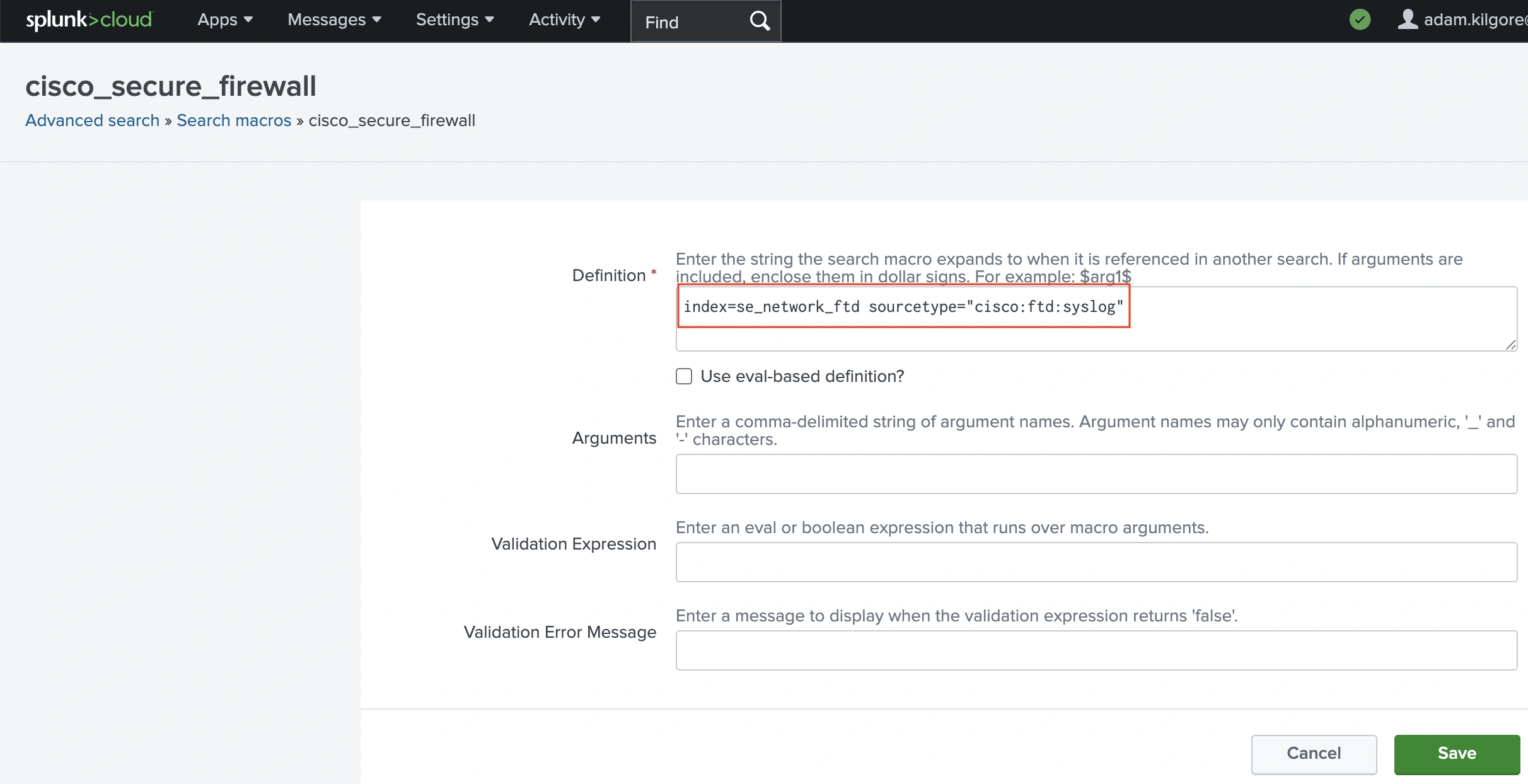
With this setting, the macro used by all of the Secure Firewall ESCU detections will now point at the index and sourcetype for our syslog events. The searches associated with the ESCU detections will still work after switching from eStreamer to syslog because the Cisco Security TA uses Splunk’s schema-on-read approach to produce the same event schema during query for both eStreamer and syslog events.
Note: for organizations transitioning from eStreamer to syslog, the macro can be configured to pull from either eStreamer or syslog by using an ‘or’ condition. For our index, this would look like the following:
index=se_network_ftd AND (sourcetype=cisco:ftd:estreamer OR
sourcetype=cisco:ftd:syslog)
In the SOC we don’t decrypt attendee traffic on purpose, so Encrypted Visibility Engine (EVE) events are highly valuable as an Indicator of Compromise (IoC). One of the Splunk ESCU detections that we used involves EVE events directly.

By default, this ESCU detection will match on a Secure Firewall connection event with EVE threat confidence above 80. However, this detection will use the EVE event as an Intermediate Finding, which raises the risk rating of the involved source IP without generating a full incident.
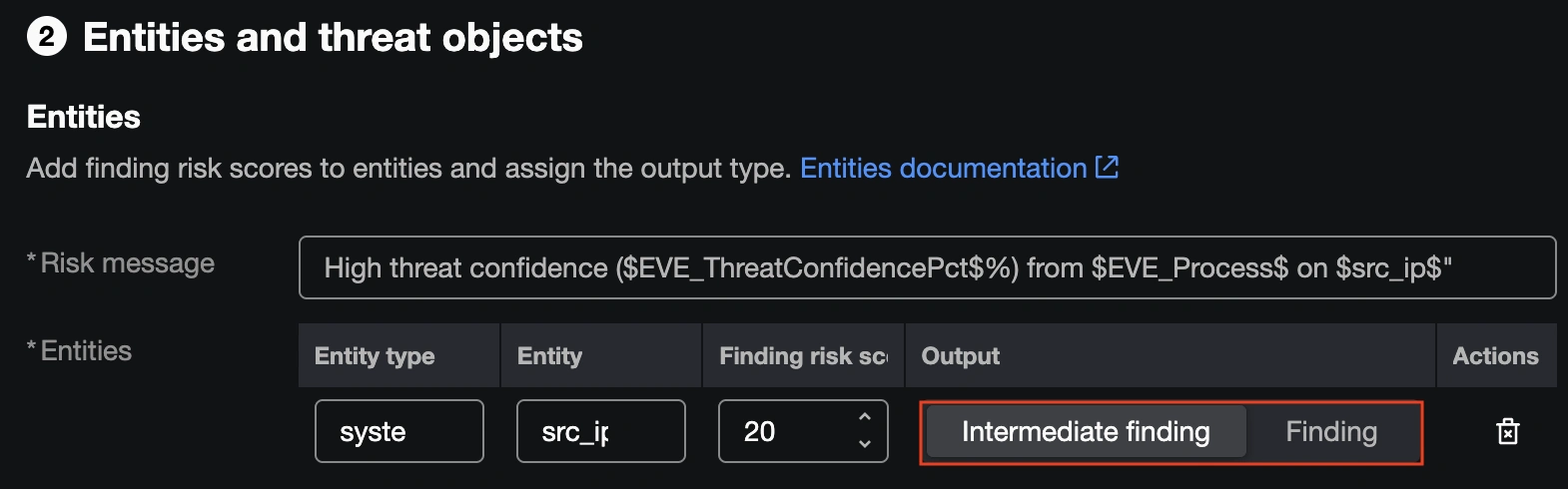
This will be the right call for many environments, but at the SOC we have a low enough volume of high confidence EVE events and place enough value on them to warrant promoting them to full incidents. We opted to change the setting to Finding, so that a single Secure Firewall connection event with a high EVE threat confidence score will generate a Finding on its own.
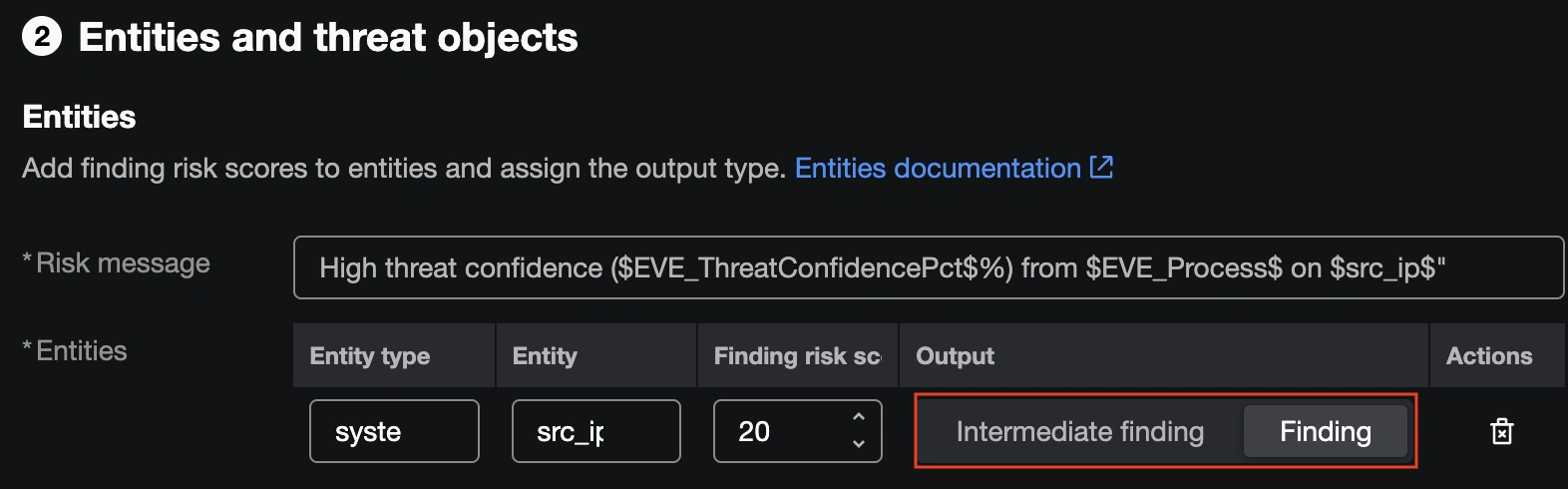
With the Finding setting in place, all high confidence EVE events were automatically promoted to Incidents in Splunk ES, ensuring we saw them quickly and could respond with an investigation.
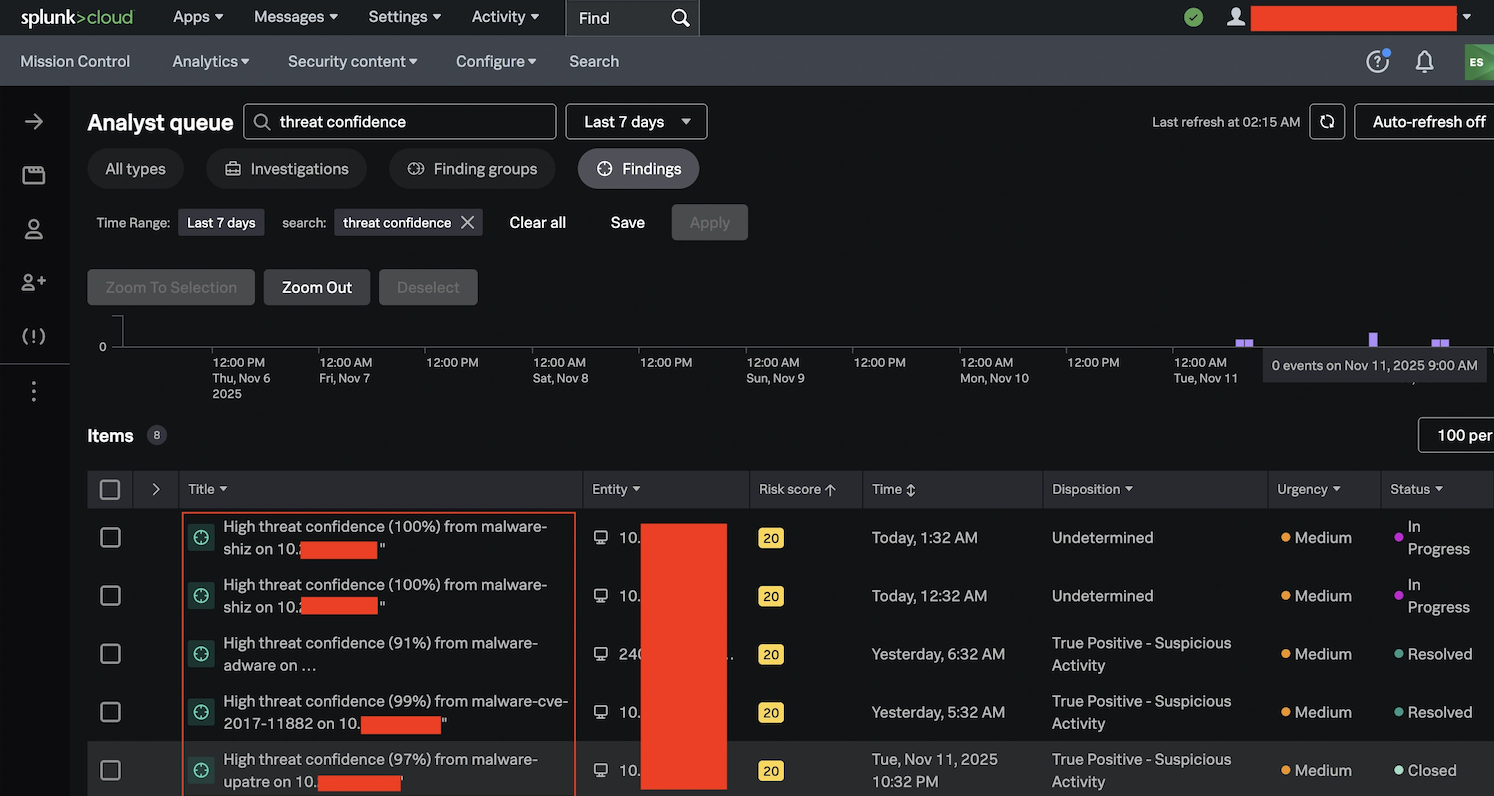
While we run a large number of our incident investigations through Cisco XDR at the SOC, the ease of use of this workflow and the Splunk ESCU detection capabilities proved to be a valuable tool that we will expand at future conferences.
Check out the other blogs by my colleagues in the Cisco Live APJC 2026 SOC.
We’d love to hear what you think! Ask a question and stay connected with Cisco Security on social media.
Cisco Security Social Media