
Deploying a new firewall platform in a live, high-density environment like Mobile World Congress, with over 100,000 participants, is a rare opportunity to validate its capabilities against truly unpredictable traffic. This year, our timing couldn’t have been better. The launch of the Firepower 6100 hardware and the 10.0 software release aligned perfectly with MWC 2026, giving us a hands-on opportunity to put the latest Cisco Secure Firewall capabilities to the test on the live congress wireless network. Among the new security features, the one I was most eager to explore was Shadow Traffic detection. After a week of monitoring the live network with the Firepower 6100 appliance, I wasn’t disappointed.


What Is Shadow Traffic?
If you manage a corporate network, you’ve probably spent a lot of time building firewall policies, configuring access controls, and tuning your security rules – all to ensure your users access internet resources in accordance with your organization’s policy, traffic is inspected, and that unauthorized or risky content remains blocked.
Even with a well-designed firewall policy and thoroughly educated workforce, you cannot fully prevent network traffic specifically engineered to remain invisible, which we refer to as shadow traffic. These are connections attempting to bypass your security controls, hide their true destination, or evade inspection entirely.
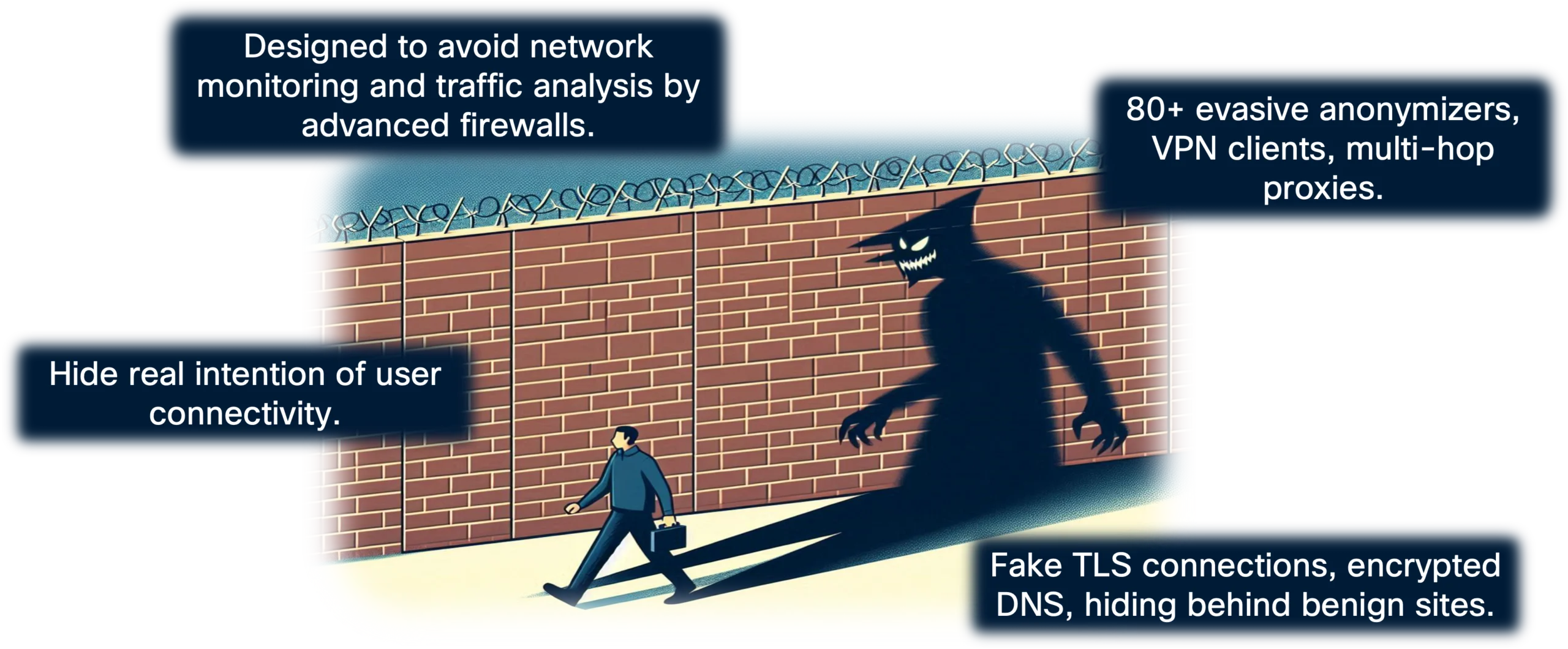
Shadow traffic comes in many shapes. Sometimes it comes from a user who just wants to remain anonymous and downloads a free anonymizer app without thinking twice. Some users deliberately install VPN clients to bypass security policy and access prohibited sites and applications while in the office. Other times, it could be something far more concerning – malware quietly reaching out to a command-and-control server, using clever tricks to avoid detection. In all cases, this leads to a security policy violation and exposes your environment to unnecessary risk.
Most traditional firewalls rely on basic application detection mechanisms that catch some evasive activity, but you’re left with manually digging through massive volumes of logs on a regular basis, searching for something suspicious. If you don’t know exactly what to look for, or a new evasion technique has emerged since you last looked, you may find absolutely nothing – even when something dangerous is already happening.
Cisco Secure Firewall 10.0 addresses this gap with Shadow Traffic detection. Rather than leaving you with that manual effort, the system actively monitors connections and flags those that show signs of evasion. The detection engine combines three security components working tightly together:
- Application ID (AppID)
- Encrypted Visibility Engine (EVE)
- TLS/QUIC decryption
Together, they detect more than 80 evasive tools and techniques, including domain fronting and fake TLS connection. A dedicated dashboard brings it all together in one place, with a new Shadow Traffic Type column in your connection events surfacing suspicious activity right where you need it. When suspicious activity is detected, connection events are explicitly tagged with the respective shadow traffic flags. From there, you can track down the endpoint, have a conversation with the user, and figure out what’s actually going on.
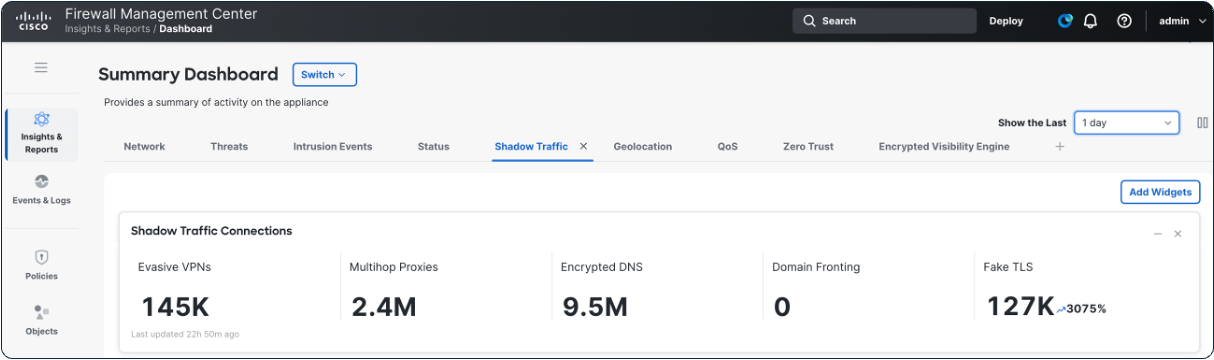
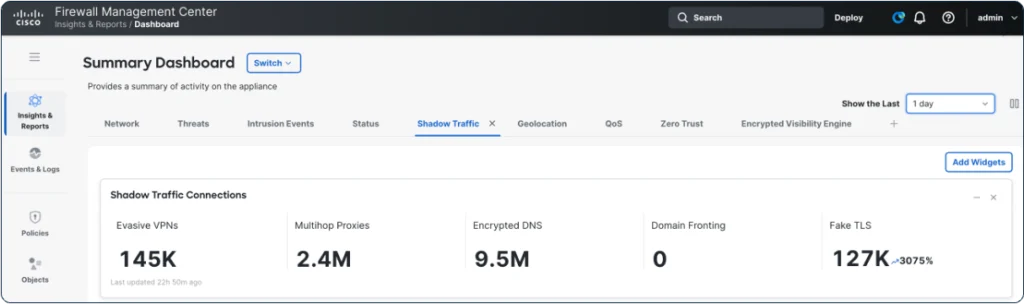
Observing Shadow Traffic at scale on the live congress wireless network provided useful insight. On average, we observed around 150,000 evasive VPN connections, 2.5 million multihop proxy connections, nearly 10 million encrypted DNS requests, and roughly 125,000 fake TLS connections per day. The findings below break down the shadow traffic by category.
Evasive VPNs
Evasive software remains a common and difficult problem to solve for many organizations. A user downloads a free VPN app – something like XVPN, ExpressVPN, or any of dozens of evasive applications available online – and connects through it, effectively masking everything they do from your firewall. Depending on the software, the connection may only hide the destination, or it may use specific techniques to blend into ordinary web traffic entirely. Techniques like traffic masking and protocol obfuscation mean that even a sophisticated firewall may not notice anything unusual.
At MWC, we observed dozens of different evasive VPN clients in the wild. The Shadow Traffic dashboard put Tailscale VPN, ExpressVPN, and NordVPN at the top of the list. Shadow Traffic detection conveniently labels the suspicious connections, making filtering in the Unified Events Viewer straightforward and precise.
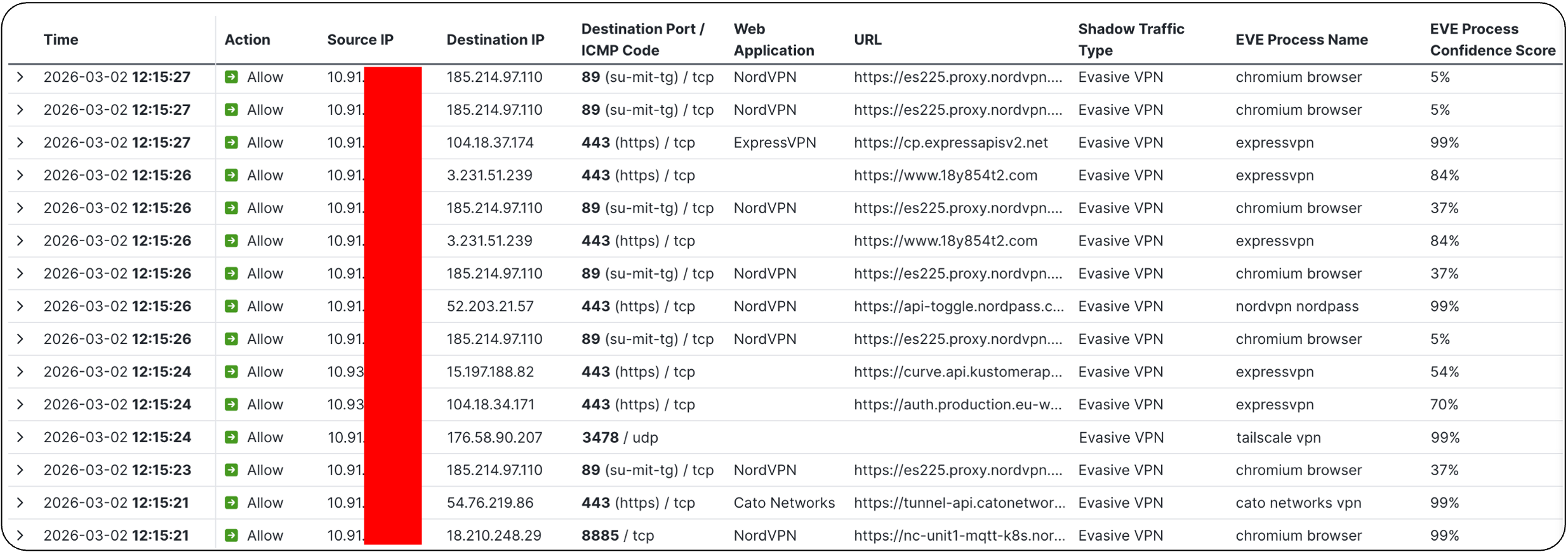
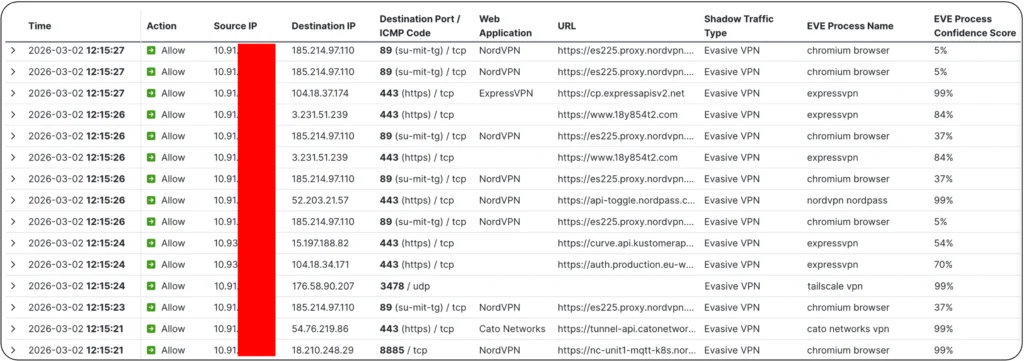
The screenshot above from the Unified Events Viewer illustrates a few examples of Evasive VPN connections discovered using different detection methods, showing AppID and EVE working in parallel, covering each other’s blind spots:
- NordVPN using TCP port 89 — historically associated with the Telnet Gateway at MIT — detected by AppID
- ExpressVPN using a standard HTTPS port with a randomized SNI/URL that AppID did not identify, but that EVE fingerprinted with 84% confidence
- Tailscale VPN connecting over QUIC on non-standard port 3478, detected by EVE with 99% confidence
- A second NordVPN connection over TCP port 8885, detected by AppID
Out of almost 150,000 evasive VPN connections observed each day at MWC, these four examples are a small sample, but they clearly demonstrate the benefit of AppID and EVE working together. Each one slipped past what either method alone would have missed. These examples also showcases how creative the stealth techniques may be – ranging from the use of non-standard ports and randomized URLs to emerging cryptographic protocols not yet widely supported on most firewalls today.
Multihop Proxies
Multihop proxies do exactly what the name suggests — instead of routing traffic through a single intermediary, they bounce it through multiple servers before it reaches its final destination. Tor is the classic example. Each hop adds another layer of obfuscation, and by the time traffic reaches its destination, tracing it back to the original source is extremely difficult. From the firewall’s perspective, it just sees a connection to some relay node with no visibility into where it’s ultimately going.
This technique is primarily about anonymization — hiding the user’s true identity and destination. Whether that’s a privacy-conscious individual or someone purposely doing something malicious, the result for you as an administrator is the same – you lose visibility and control.
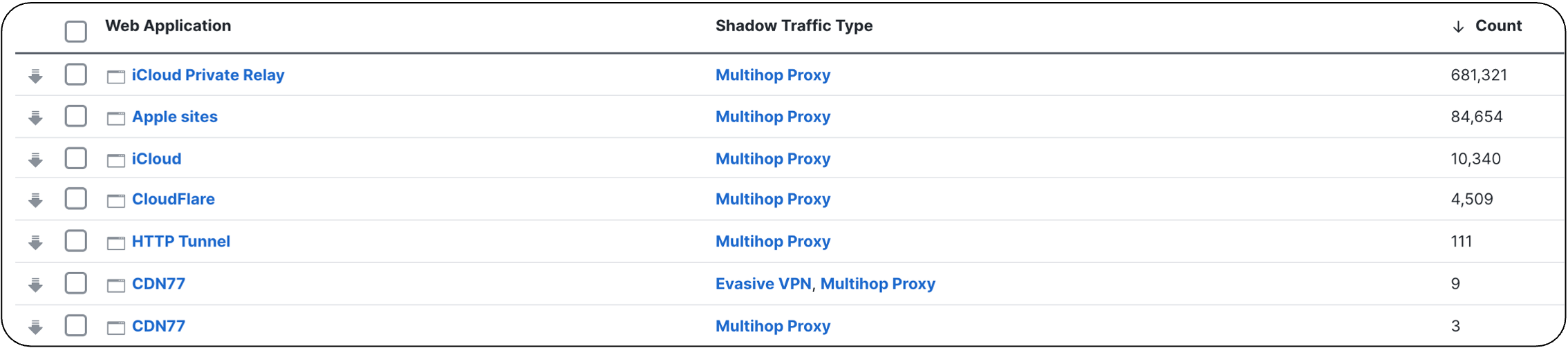
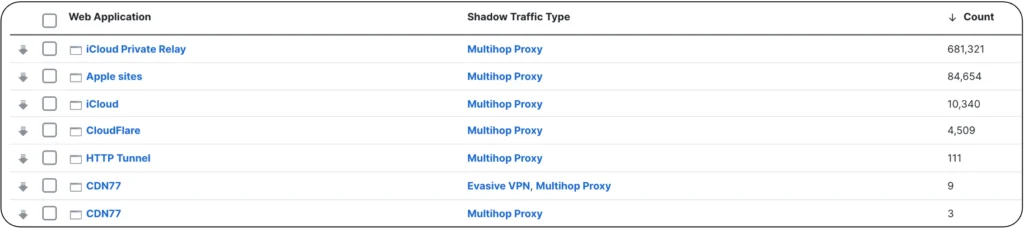
Looking at the Shadow Traffic data from MWC, the vast majority of the multihop proxy connections were generated by Apple iCloud Private Relay infrastructure. It’s worth pausing on that for a moment – iCloud Private Relay isn’t malicious. It’s a legitimate and widely used Apple privacy feature. But from a network policy standpoint, it still creates a visibility gap, and many organizations may decide to disable or block it on corporate networks. Discovering the scale of iCloud Private Relay usage on your network through the Firewall Management Center dashboard gives you the evidence you need to make that policy decision confidently.
We also observed a smaller portion of CDN77 and Cloudflare connections, and a handful of HTTP CONNECT tunnel sessions. Those latter ones in particular are the type you’d want to look at more closely if you spotted them in your own environment to ensure there is no malicious activity involved.
Encrypted DNS
DNS might not sound like the most exciting security topic, but encrypted DNS is genuinely one of the bigger headaches for network administrators right now. Normally, when a client resolves a domain name, that query goes through the endpoint’s OS DNS stack, allowing enforcement of corporate DNS controls, filtering, and logging. Encrypted DNS changes that entirely.
With protocols like DNS-over-HTTPS (DoH), a browser can completely bypass the operating system’s DNS stack and send its queries directly to a public resolver — Cloudflare or Google, for example — over an encrypted tunnel. Your firewall sees an encrypted HTTPS connection to a known public IP and has no idea that DNS resolution is happening inside it. Your DNS-based security controls become effectively useless.
Encrypted DNS is no longer just a standalone issue as it is now also a fundamental building block for something bigger. Looking ahead to Encrypted Client Hello becoming an official standard under RFC 9849, encrypted DNS is a key bootstrapping mechanism for ECH — distributing encryption keys and server details to endpoints. If you want to go deeper on what ECH means for network security, have a look at the article “Encrypted Client Hello (ECH) Defense Strategies — How Cisco Secure Firewall Tackles ECH” at the Cisco Secure Firewall Essentials Hub.
Setting the upcoming ECH transition aside, MWC data shows widespread use of encrypted DNS. We observed connections not only to the well-known resolvers like OpenDNS, Cisco Umbrella, Cloudflare and Google, but also less familiar services from remote geographic locations. One that stood out was doh.pub, a Chinese public resolver which while being a legitimate service, may raise concerns if observed in a protected corporate infrastructure.
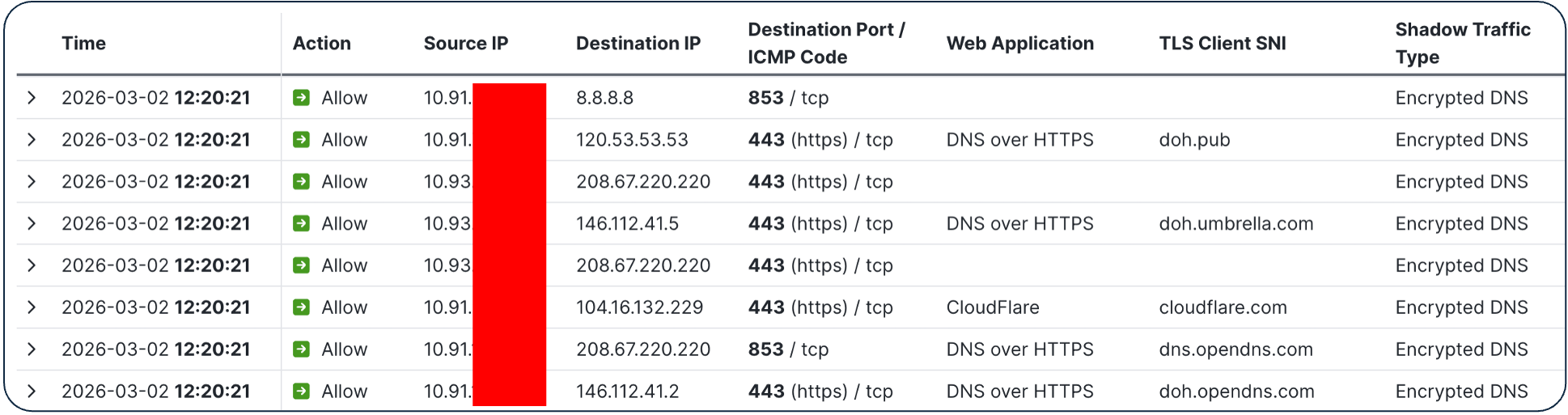
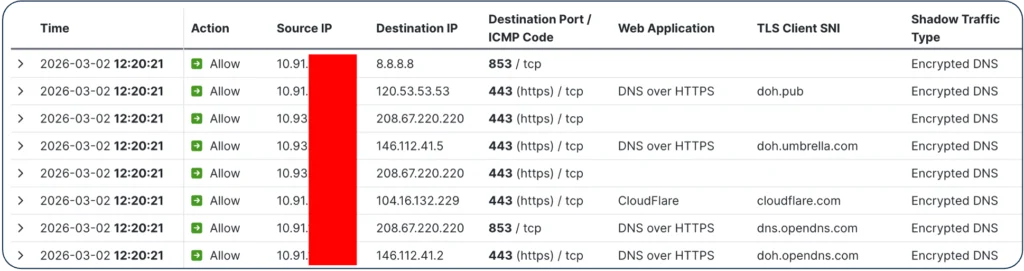
Mapping this back to your own organization’s network: it is strongly recommended to block unsanctioned encrypted DNS resolvers. Shadow Traffic detection is an extremely useful tool for gaining visibility into encrypted DNS usage and confirming whether your controls are truly holding.
Domain Fronting
One category we could not validate at MWC was domain fronting, because the Firepower 6100 units at MWC were not deployed inline and TLS/QUIC decryption was not enabled in that environment. Nevertheless, I wanted to make sure this capability gets your attention, because deployed correctly in your organization’s firewall policy, it closes a gap that many teams don’t even know they have.
Domain fronting is technically one of the cleverest techniques in the shadow traffic toolkit. A client initiates a TLS connection to a completely legitimate, widely trusted server — a major CDN or cloud provider, for instance. The TLS handshake looks clean, the SNI field points to a benign domain, and your firewall sees nothing suspicious and lets it through. But inside that encrypted tunnel, the HTTP Host header points to an entirely different server — potentially malicious — hosted on the same or, in some cases, a different provider. The fronting server quietly forwards the request to the real target, and your firewall never sees any of it.
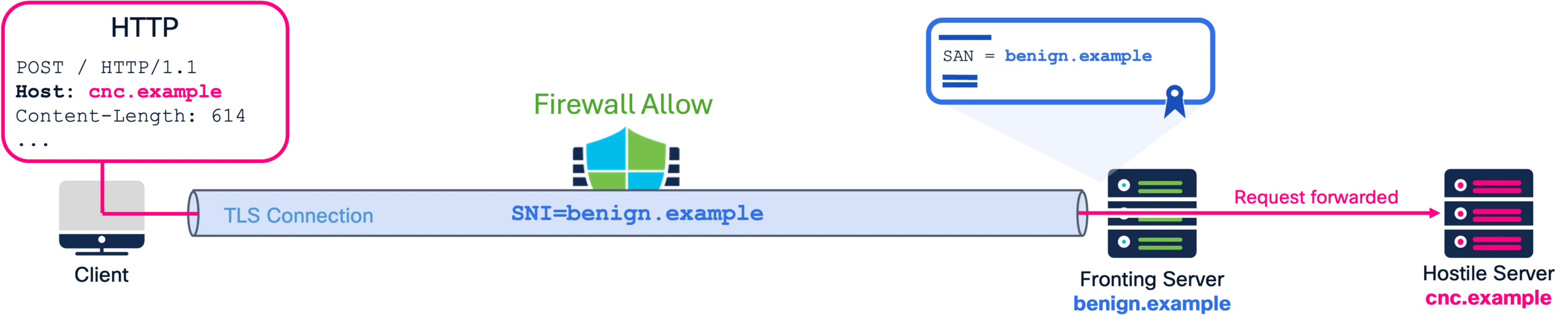
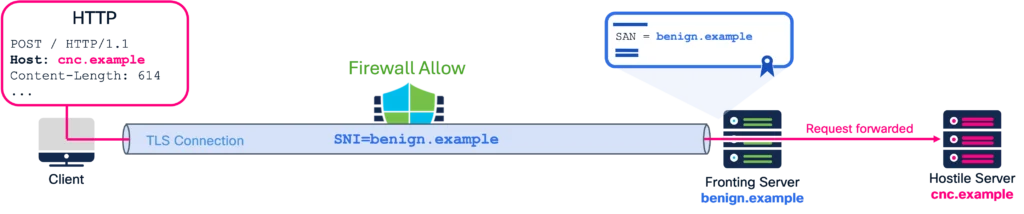
This method exploits CDN request routing behavior, and for a period it was relatively easy to execute against almost any major CDN. Most providers have closed those gaps now, but it still surfaces in the wild. Detection requires TLS/QUIC decryption to be enabled — you need to be able to look inside the tunnel and compare the TLS endpoint (SNI/certificate) with the actual HTTP hostname in the request. When those don’t match the firewall sets the domain fronting flag in the connection log. Shadow Traffic detection helps you discover these events at scale. Instead of manually searching through thousands of decrypted connections, the feature compares TLS and QUIC handshake metadata with HTTP requests sent inside the tunnel and assigns a “Domain Fronting” flag to connections where this mismatch is detected.
Fake TLS
Fake TLS is the most technically interesting detection in this lineup — and the MWC data gave us a great real-world example to show why.
The concept is to craft a TLS connection that looks legitimate on the surface but contains unusual or non-standard attributes – rarely used cipher suites, unexpected extensions, or handshake characteristics designed to trigger exception logic on a security device. A fake TLS connection typically spoofs the SNI field, pretending to connect to a benign, trusted domain, while the actual destination server is something else entirely. The goal is to confuse security devices into ignoring or misclassifying the session.
At MWC, Shadow Traffic detection flagged a connection with www.google.com in the TLS Client Hello SNI that appeared legitimate at first. What made this connection stand out was the EVE fingerprinting, which indicated that it originated from a Telegram binary.


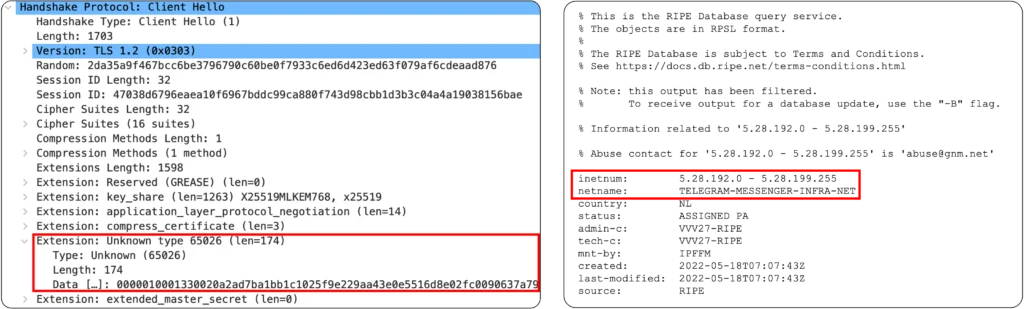
A closer look in Wireshark revealed something immediately odd in the TLS Client Hello: extension type 65026, a value sitting firmly in IANA’s unassigned pool – highly unusual in a legitimate handshake. When we checked the destination IP address, it turned out to be a BGP subnet associated with Telegram — nothing to do with Google whatsoever. The application was presenting a trusted, recognizable domain name to fool the firewall, while actually connecting to infrastructure it had no association with.
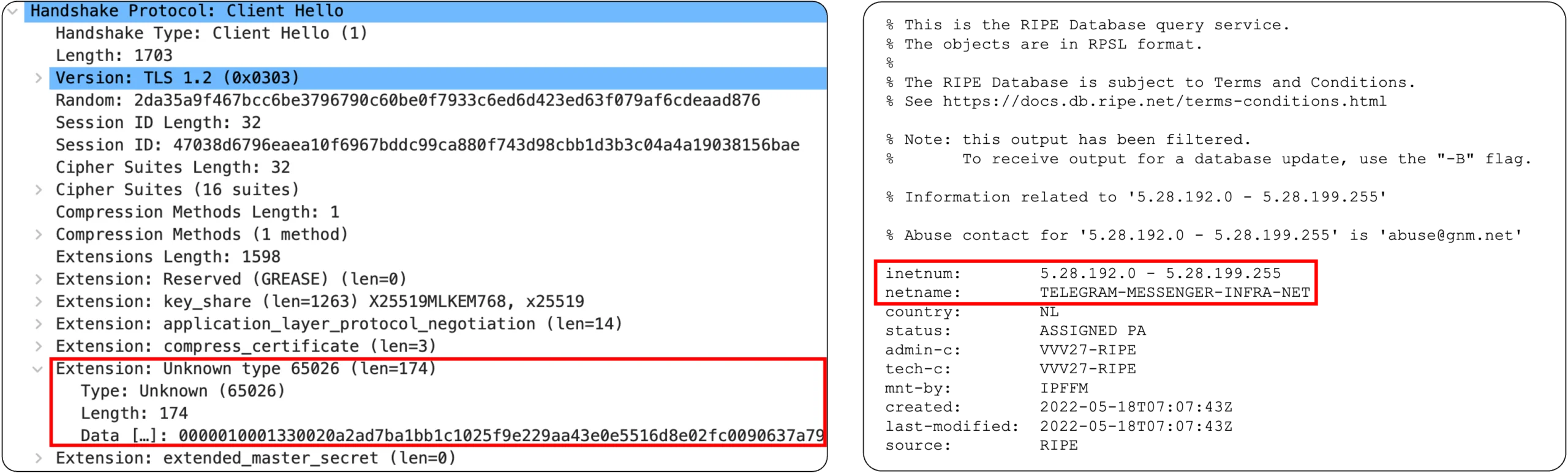
Fake TLS detection is powered by EVE. By looking at the full picture — process name, TLS extensions, cipher suites, destination IP — EVE cross-references signals that individually might seem unremarkable but together paint a clear picture of evasion. Detection requires EVE to be enabled, but once it is, these connections are flagged clearly in your connection events and surfaced in the Shadow Traffic dashboard.
What Should You Do About It?
Shadow traffic isn’t a niche problem reserved for high-security environments. It’s almost certainly already present on your network, and most organizations simply don’t know it. The combination of AppID, EVE, and TLS/QUIC decryption in Cisco Secure Firewall 10.0 provides a practical and consolidated approach to finally see what’s been hiding in plain sight — and take action on it.


With Shadow Traffic detection, you expand visibility into inspection gaps that most organizations don’t even realize they have. You can quickly identify endpoints or users attempting evasion, and you have a strong starting point for remediation. Pair that with user education around acceptable use policies, and you’ve tangibly reduced the number of entry points for anything trying to sneak past your defenses.
My recommendation is simple: enable Shadow Traffic detection when running Cisco Secure Firewall 10.0, and see for yourself how much traffic is trying to slip under your radar. From there, you can start tightening your policy, identifying machines with evasive software installed, and getting ahead of the new methods that users, software and threat actors will continue to introduce.
Expect new evasion techniques to appear and evolve continuously. Shadow Traffic will probably always be a moving target and impossible to fully eradicate. The developers behind these evasive tools are smart, they update the code constantly, and they’re always looking for new ways to stay ahead. The goal isn’t necessarily to block everything — it’s to know when something suspicious is happening and who is responsible for it in your network.
To learn more about the latest security features in the Cisco Secure Firewall 10.0 toolkit, visit Firewall Essentials Hub and watch the latest BRKSEC-3320 deep-dive session covering TLS/QUIC decryption, Shadow Traffic and EVE in Cisco Live! On-Demand Library.
Check out the lessons learned from the Event SOCs we deploy around the world, with the white paper and latest blogs.
We’d love to hear what you think! Ask a question and stay connected with Cisco Security on social media.
Cisco Security Social Media