


We like to stay on the cutting edge at the Cisco Security Operations Center (SOC). At Cisco Live Amsterdam, that meant upgrading our firewalls to the latest 10.0 release to take advantage of two new SIEM integrations. The first integration is our new Splunk wizard, which makes improvements to our syslog export while simultaneously simplifying configuration. The second integration is our new Advanced Logging feature. Advanced Logging is a Cisco Firewall unique capability that sends Zeek style logs to Splunk or another SIEM solution.
On the Splunk side, we also tested a custom Splunk TA (Technology Add-on) that fancied up our log readability a bit among some other changes, as you’ll see in the Splunk screenshots throughout this blog. This conference marked our first use of all three new toys in our toolkit (the Splunk integration wizard, the Advanced Logging, and our custom TA), and we plan to build on all of them for our upcoming work at RSAC.
In this blog post, we’ll look at the Splunk integration wizard and Advanced Logging, alongside a few use cases from the conference.
The Splunk Integration Wizard
Version 10.0 brings with it a new wizard that can be used to export syslog from Cisco Secure Firewall to Splunk and other SIEMs. The wizard is a simple three step process of configuring a logging destination, selecting logs and sources (shown), and then selecting the firewalls that the log export will apply to. An optional certificate configuration allows for encrypted syslog, alongside unencrypted UDP and TCP options.
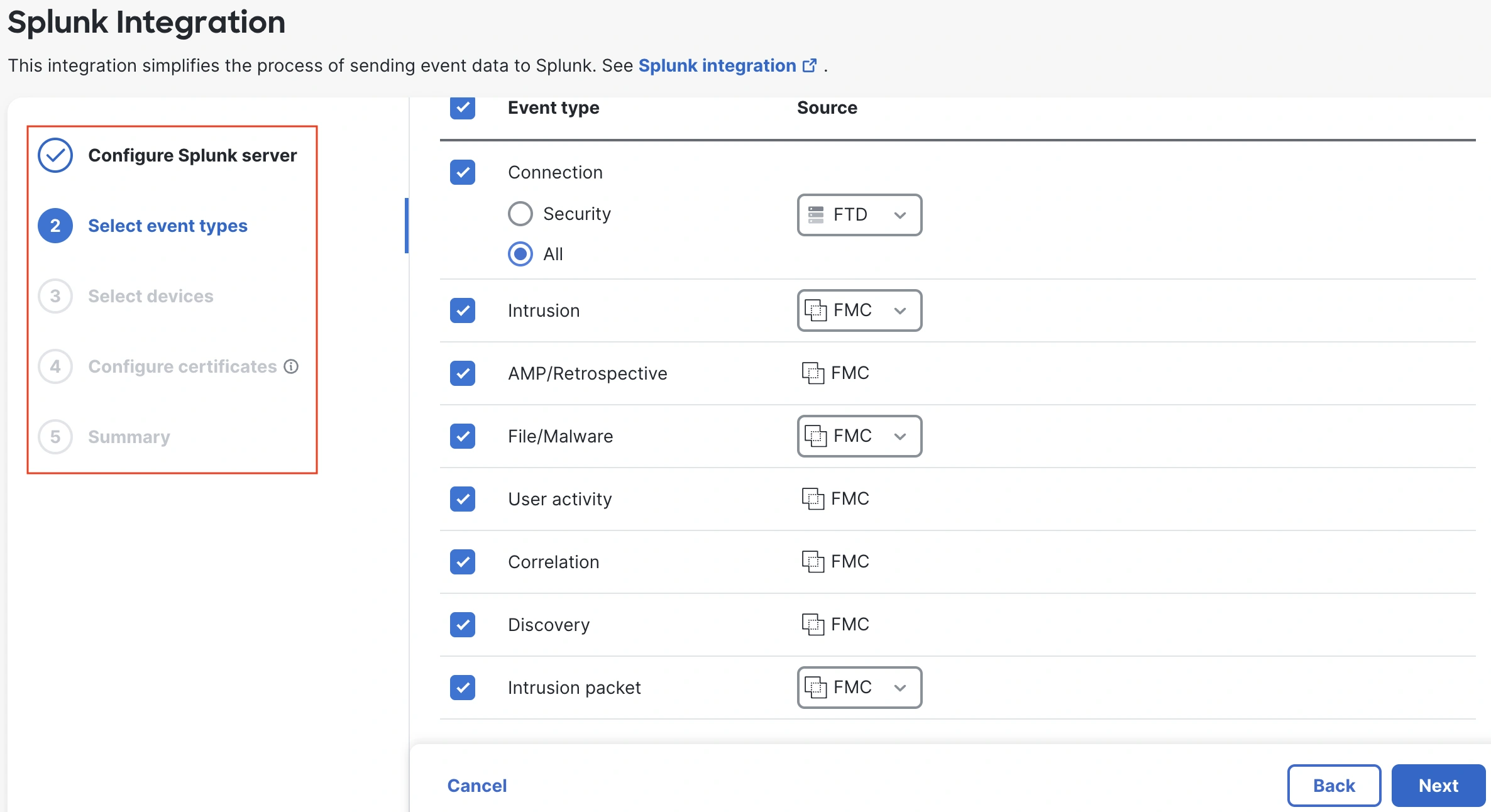
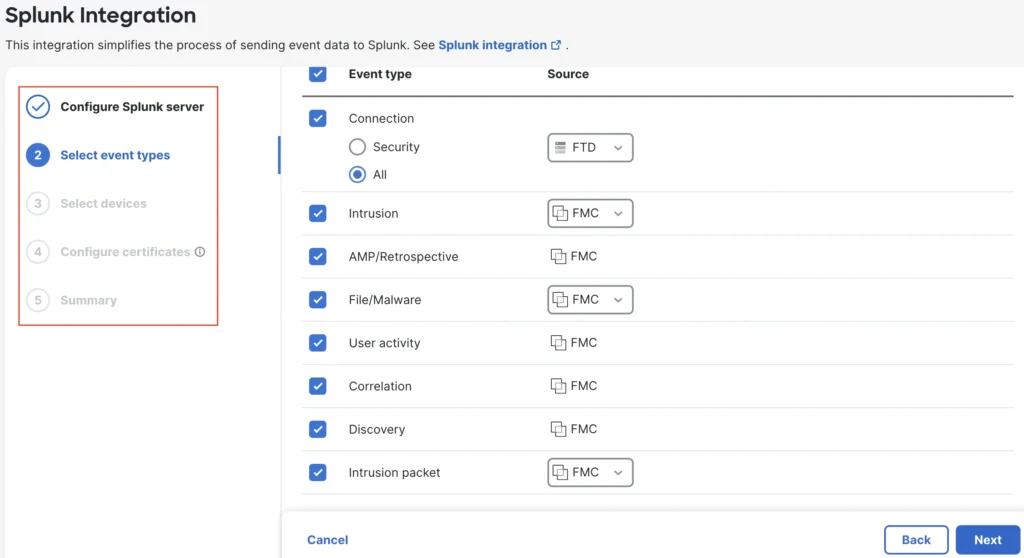
While eStreamer is still supported, Cisco recommends new deployments use syslog for improved performance. The Cisco SOC previously migrated from eStreamer to syslog at Black Hat USA 2025. At Cisco Live Amsterdam 2026, we were happy to replace our old syslog configuration with the new Splunk integration wizard, which greatly simplified the configuration and delivered improvements to syslog like intrusion packet data (shown above).
Configuring Advanced Logging
Advanced Logging can be easily enabled in the Advanced Settings section of the Access Control Policy, after which a popup will offer options for logging source (choose ‘All Splunk profiles’ to use the Splunk wizard as the source).
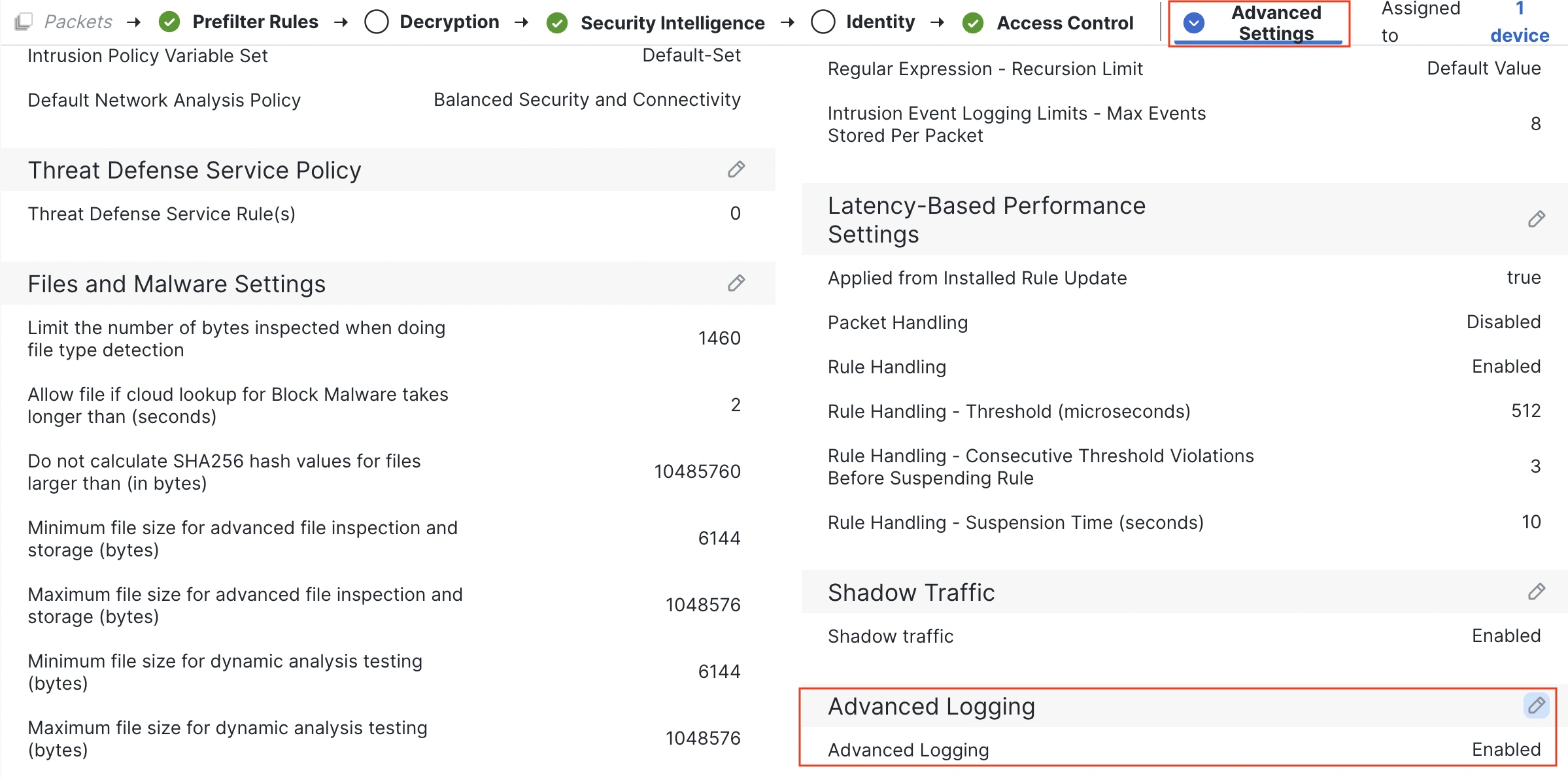
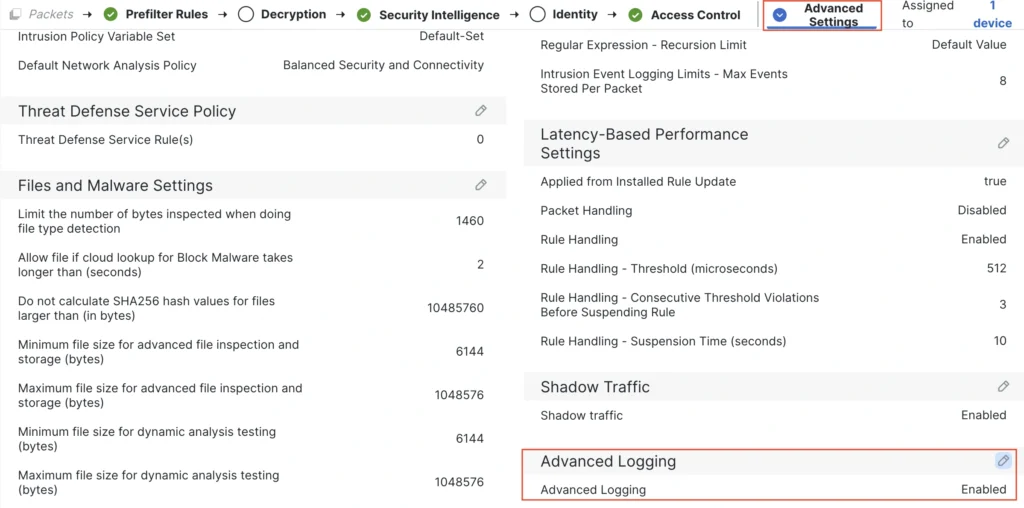
With Advanced Logging enabled, a firewall admin can then select individual rules to generate logs.
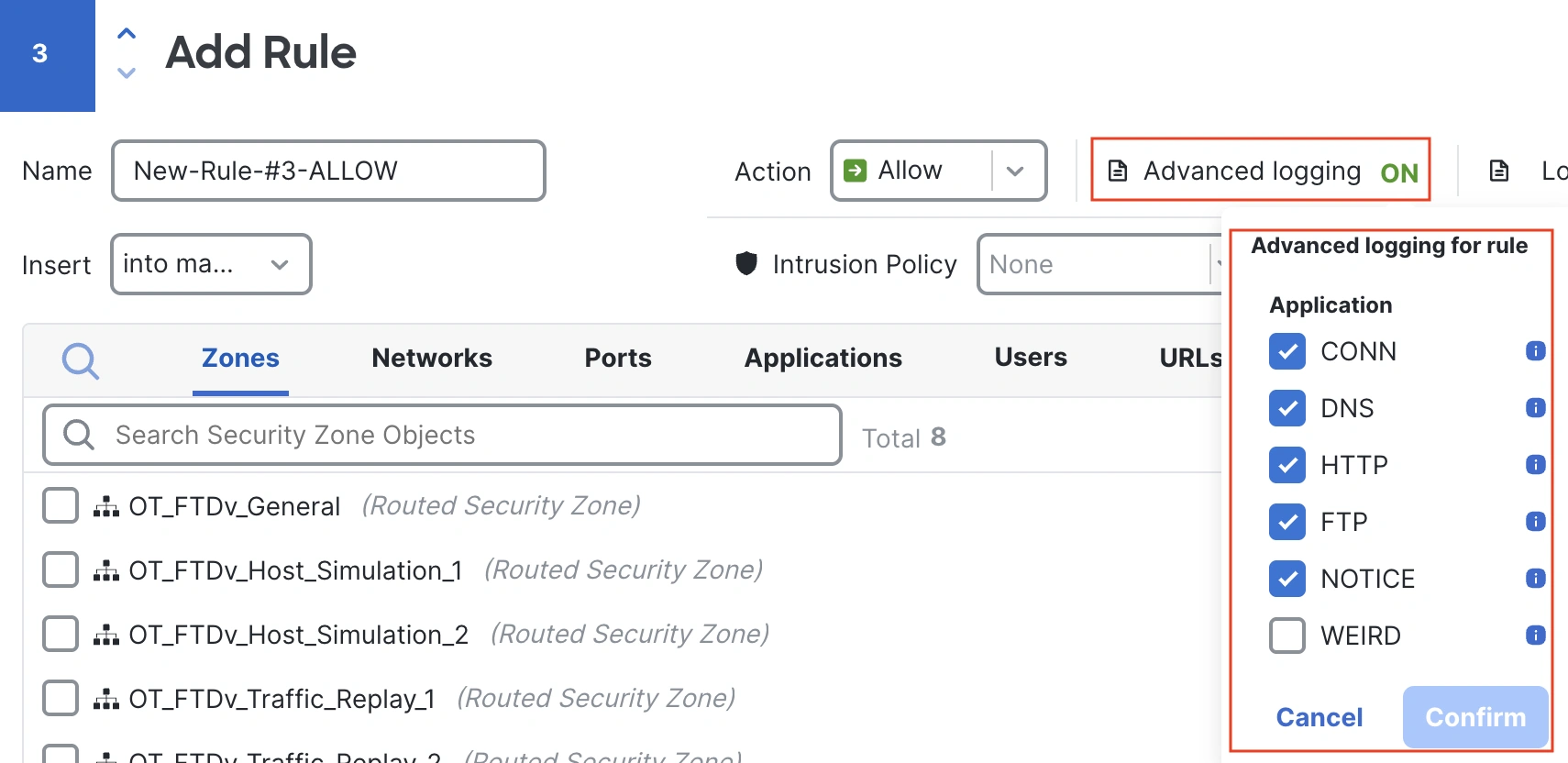
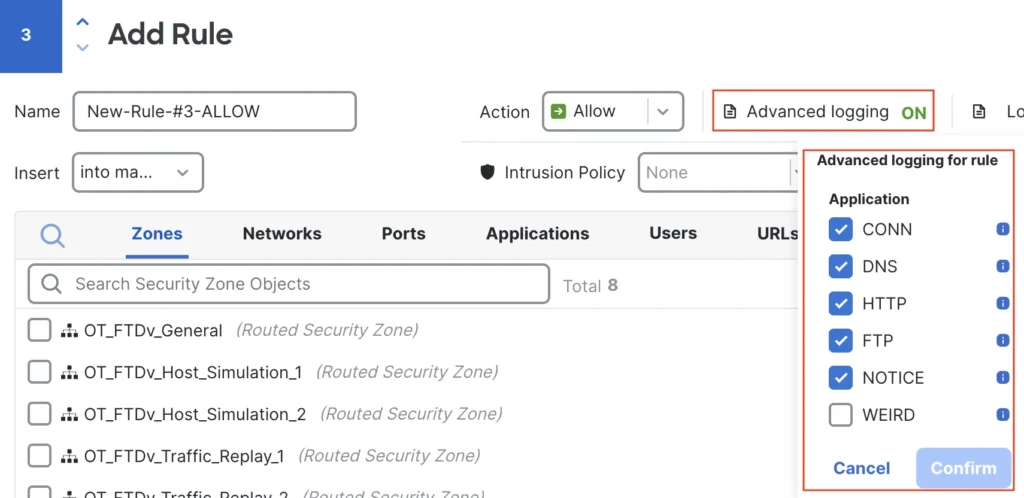
A best practice is matching Advanced Logging to relevant rules. For example, if there is a rule (or set of rules) that allows DNS requests, then that rule could be enabled for the DNS Advanced log only.
Advanced Logs in Action
Advanced Logging isn’t threat detection, but rather more granular log information that can be used to identify unique or unusual traffic that is worth further scrutiny, or to broadly monitor network-wide use of a protocol to confirm that it falls within expected parameters. Below are some examples for different protocols.
HTTP
The Advanced log for HTTP adds 11 new fields, including the HTTP method and multiple ease of reading fields like the HTTP status message. Back when one of our current SOC participants was working full time as a SOC Analyst, one of their top findings involved a local database that dropped a 500 response during a SQL injection attack—the database didn’t get dumped, but it was telling the attacker they had something to work with.
With Advanced logs, we can keep an eye out for 500 responses and combine our search with other criteria, like POST methods. As an example, we found someone ‘rooting around’ for multiple variations on a sensitive uri, dropping 500 responses to their POST requests.
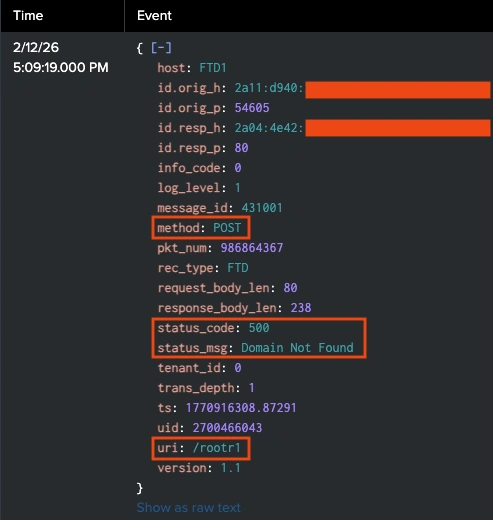
This log set jumped straight from the /rootr1 uri to a /rootr3 uri.
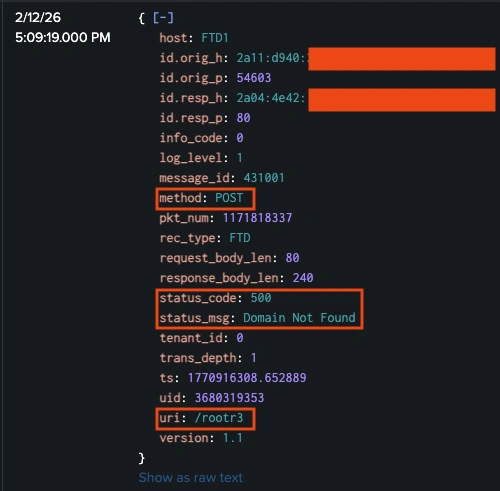
The uri /rootr2 didn’t appear in our combined search for POST methods that dropped a 500 response.
Did that mean that no connections to the /rootr2 uri were attempted, or did a request for /rootr2 use a different method or receive a different status code than our search? If the /rootr2 uri was attempted and returned a successful 200 OK response, that would warrant further investigation into exactly what happened during the connection. Fortunately, Advanced Logging gave us the visibility to quickly confirm that a connection using the /rootr2 string never occurred.
FTP
The FTP Advanced log shows us not only IP, port, and protocol data, but also the command that was issued (STOR, used to upload a file), the name of the file uploaded (in the arg field), and the reply_msg from the server (Transfer complete).
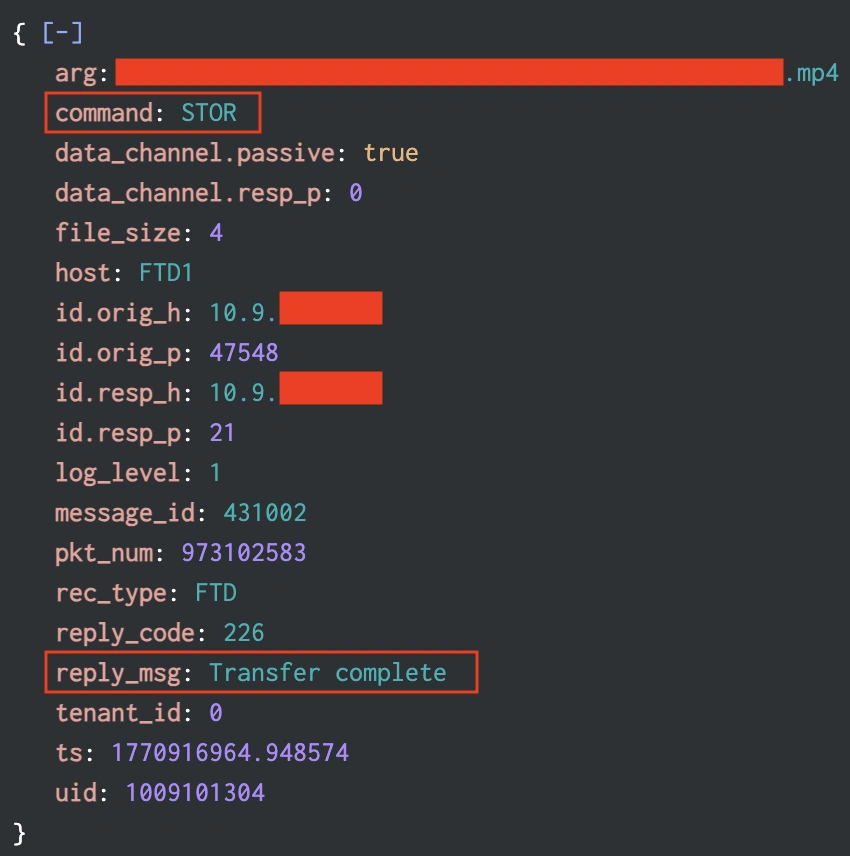
Having aggregate data for these fields allows us to create baselines for expected behavior and also look for commands that could pose a risk (passwords in the clear via the pass command) or represent possible malicious intent (bulk file retrievals via mget, delete actions via delete or rmdir).
DNS
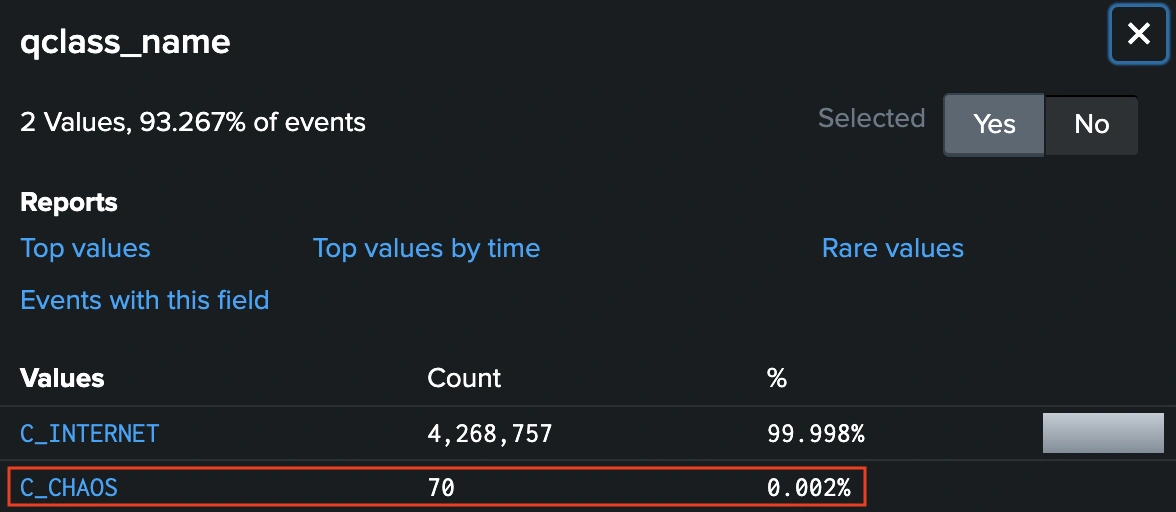
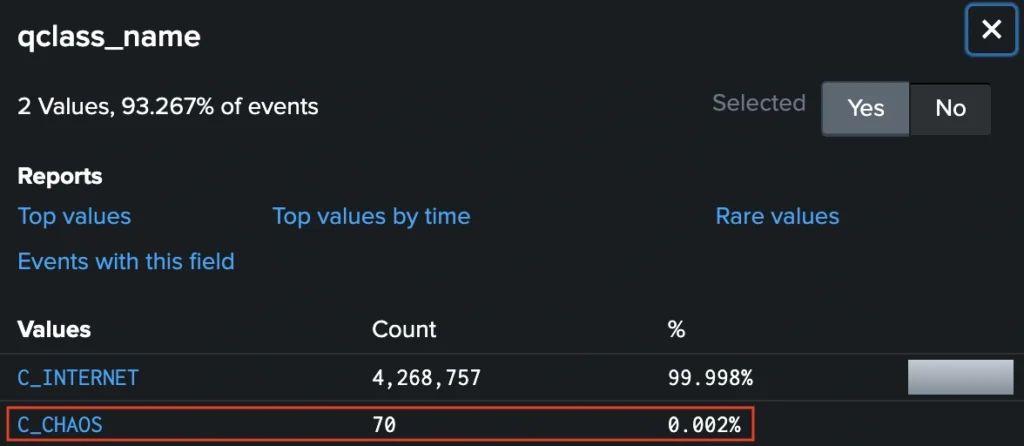
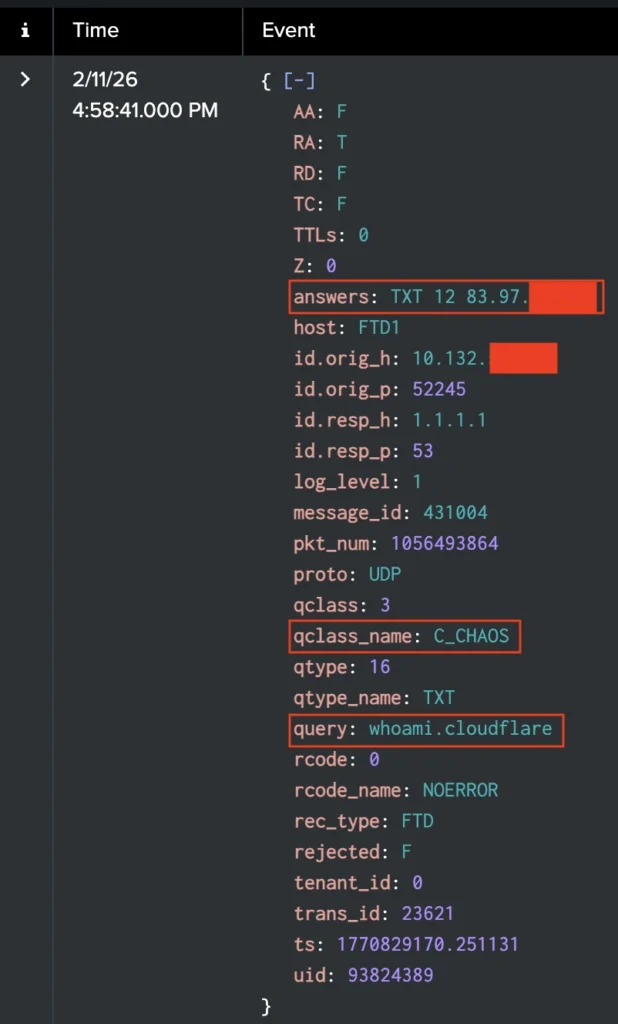
Advanced Logging for DNS collapses both the DNS request and the DNS response into a single log. It also adds over a dozen new fields that aren’t available in normal connection logging. As an example, the qclass_name field had over four million results for the expected C_INTERNET value during our conference monitoring, while the unexpected C_CHAOS value showed up with a mere 70 results.
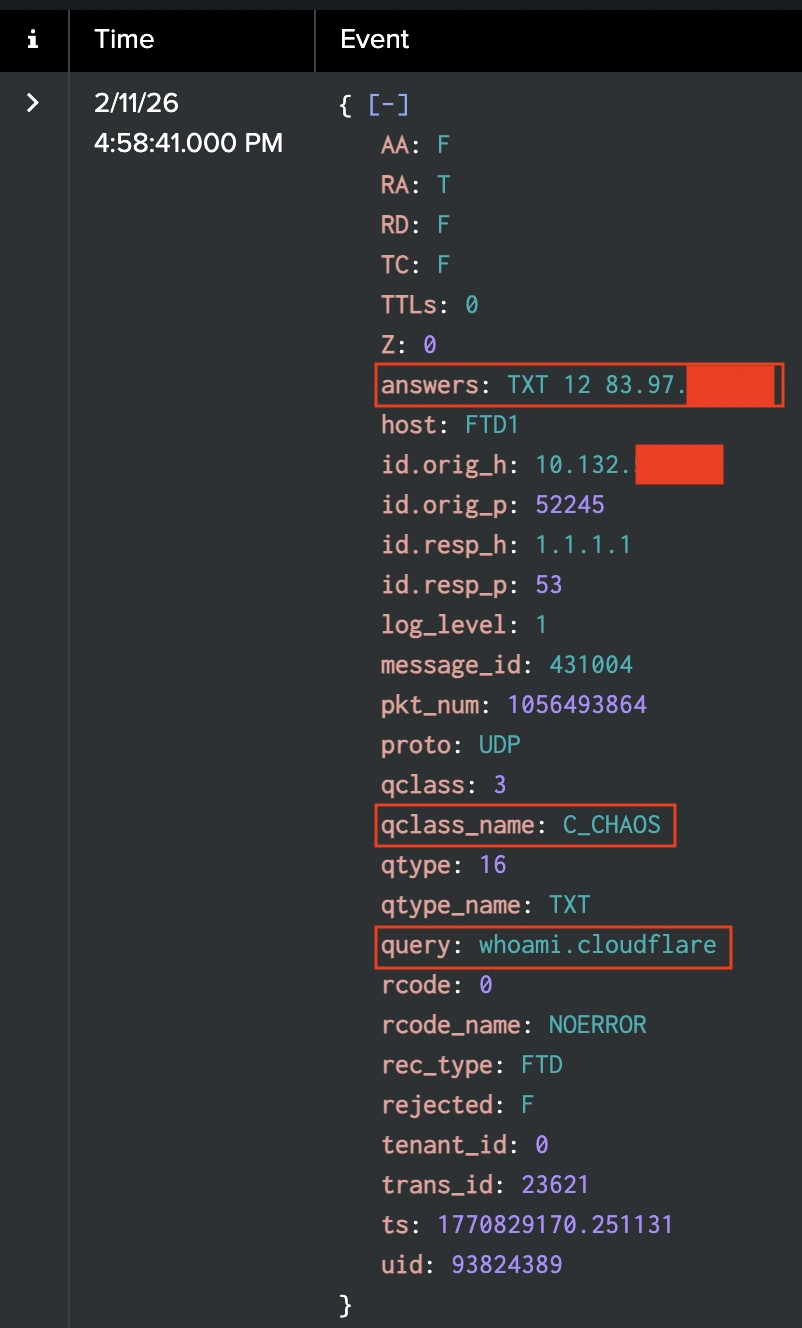
Drilling down on these logs reveals many details on the request. In this case, we can see that the host is using Cloudflare DNS to issue a whoami request that returns the public IP of the host. It’s an odd subset of events that warrants extra scrutiny, and would be easily missed without the granular details of Advanced Logging.
Additional Configuration Documentation
Want to try out Advanced Logging for yourself? The Cisco firewall TME team has an information and configuration guide on our website.
Check out the other blogs from our SOC team in Amsterdam 2026.
We’d love to hear what you think! Ask a question and stay connected with Cisco Security on social media.
Cisco Security Social Media







Check out a video example https://youtu.be/lJEZ7DQr7FE