
Connecting OpenClaw to Ollama, and protecting it with DefenseClaw.
Black Hat Asia gave me a practical environment to test an idea I have been thinking about for a while: how can we bring AI into SOC workflows without immediately pushing sensitive security data into an external cloud model?
In a previous blog, I looked at how often AI tools showed up in real network traffic. That led to the next question: If users and analysts are already leaning on AI, can we build a private AI workflow that runs local models, connects to SOC tools, and still gives security teams the inspection and audit visibility they need?
Why Local AI Matters for SOC Teams
SOC analysts deal with repetitive, high-volume work every day: alert triage, phishing review, log summarization, incident context gathering, and deciding whether an event needs escalation. AI can help with that work, but security data is sensitive. Prompts may include internal hostnames, usernames, detections, packet metadata, log snippets, and incident details…and even passwords/credentials.
The goal of this project was not to replace analysts. The goal was to build a private assistant that could help with Tier 1 SOC workflows; while keeping model execution, prompts, responses, and audit telemetry under local control.
The Base Architecture: Local Models with Guardrails
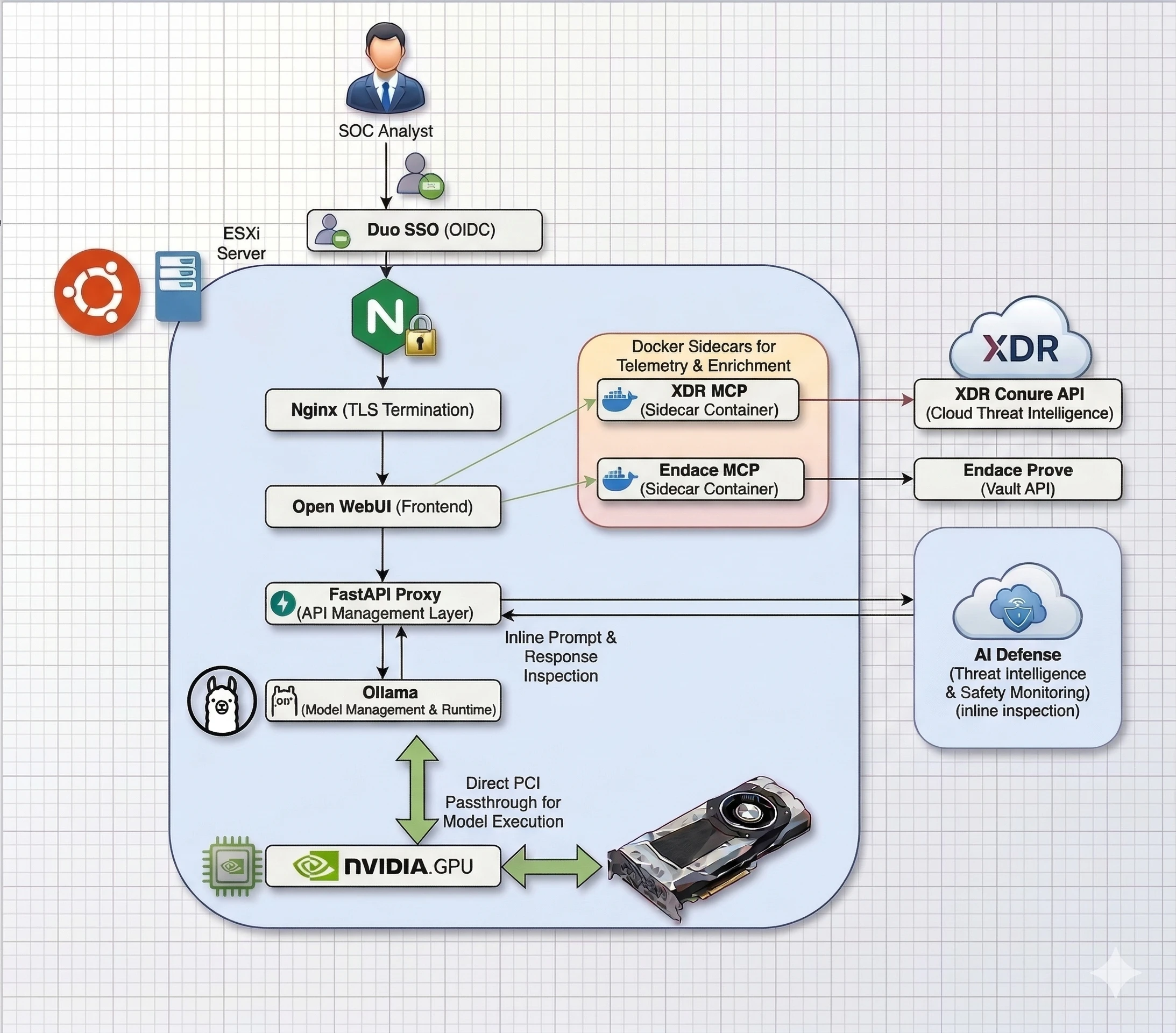
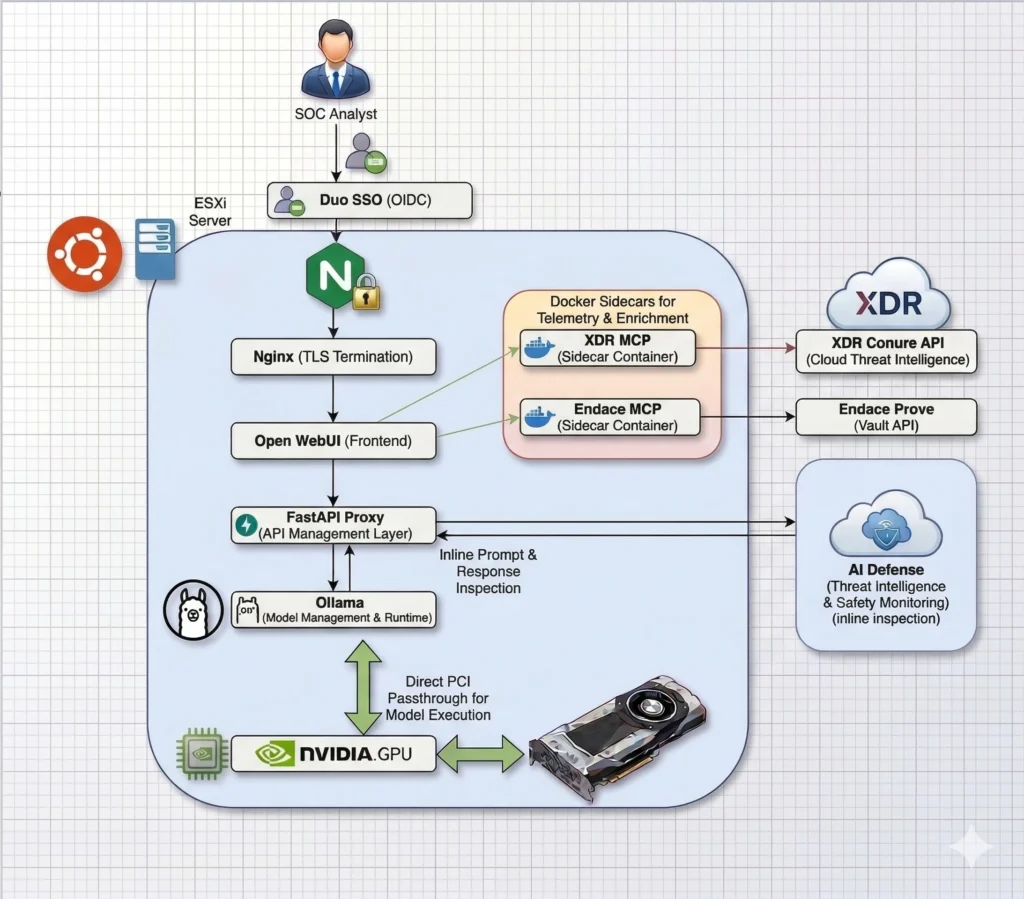
The architecture image shows the full request path from the SOC analyst through Duo Directory Single Sign-On, Nginx TLS termination, Open WebUI, the FastAPI inspection proxy, and Ollama, with NVIDIA GPU passthrough for model execution and sidecar MCP containers connecting the workflow to Cisco XDR and Endace Vault.
The first part of the project was the local model stack. I ran Ollama directly on an Ubuntu host with NVIDIA GPU acceleration. Open WebUI ran in Docker and provided the initial analyst-facing chat interface.
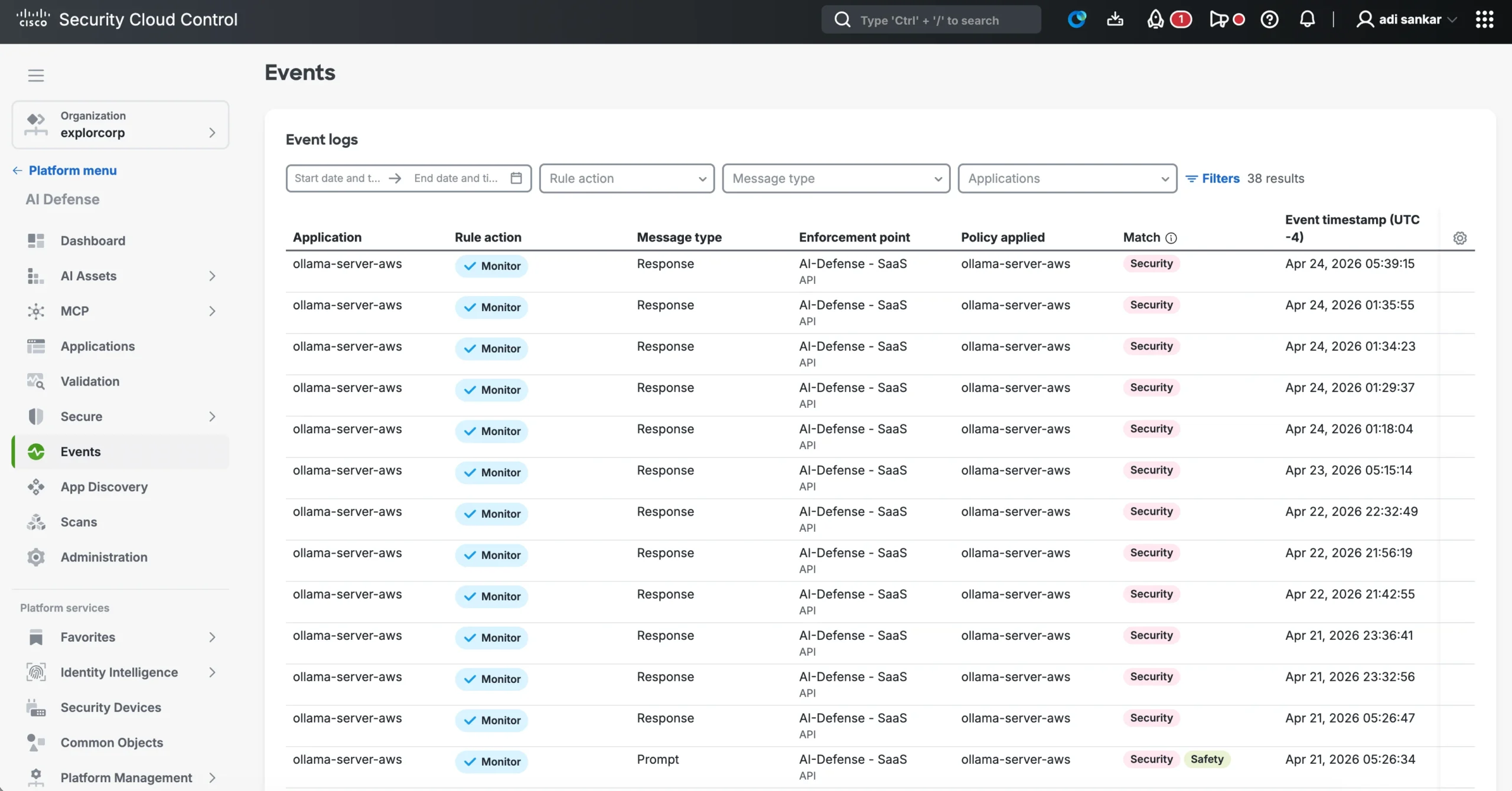
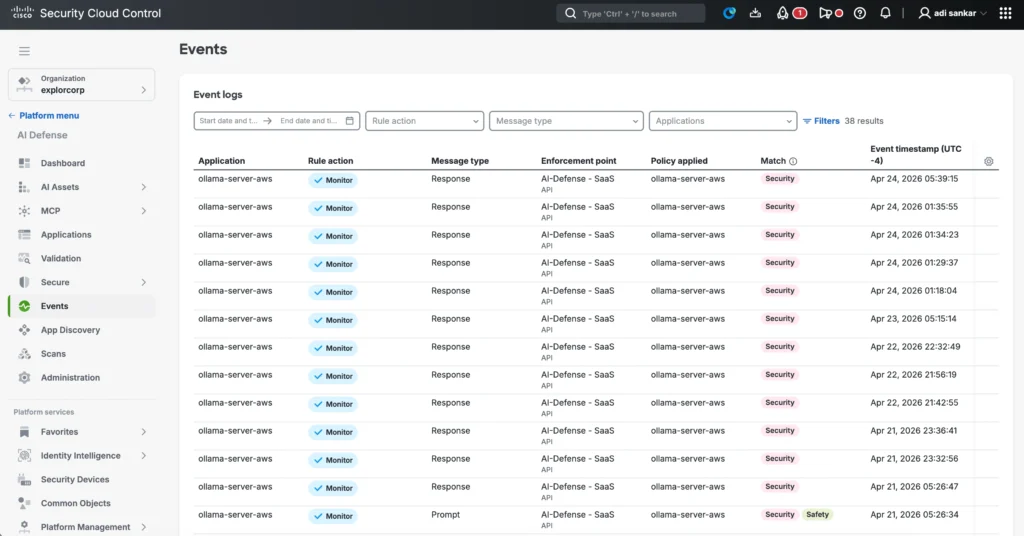
The important design decision was to avoid letting Open WebUI talk directly to Ollama. Instead, I placed a FastAPI proxy in the request path. The flow looked like this:
Analyst -> Open WebUI -> AI Defense/FastAPI proxy -> Ollama on Ubuntu with NVIDIA GPU
Analyst <- Open WebUI <- AI Defense/FastAPI proxy <- Ollama on Ubuntu with NVIDIA GPU
That proxy allowed Cisco AI Defense inspection to happen before prompts reached the local model and again before model responses returned to the user. This gave the deployment a place to enforce policy, inspect risky inputs or outputs, and keep the local model experience from becoming an unmonitored blind spot.
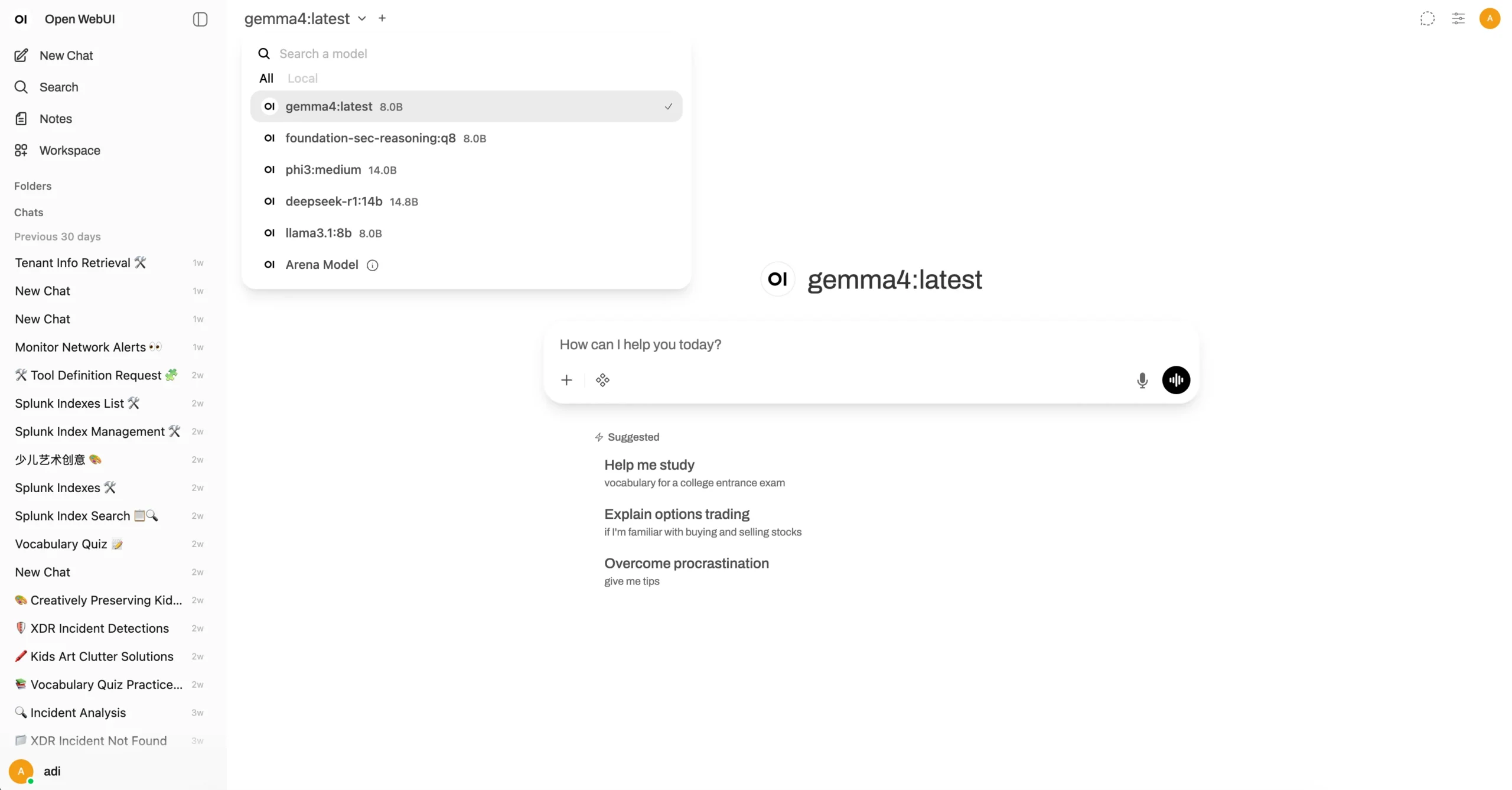
The other important piece was tool access. A local model is useful, but a SOC assistant becomes much more valuable when it can reach the systems analysts already use. For this, I used MCP sidecars to expose integrations such as Cisco XDR and Endace Vault workflows into the Open WebUI environment. In total, the Open WebUI front end exposed six MCP integrations: Cisco XDR Community, Cisco XDR Conure, Endace Vault, Splunk, Cortex, and ThousandEyes.
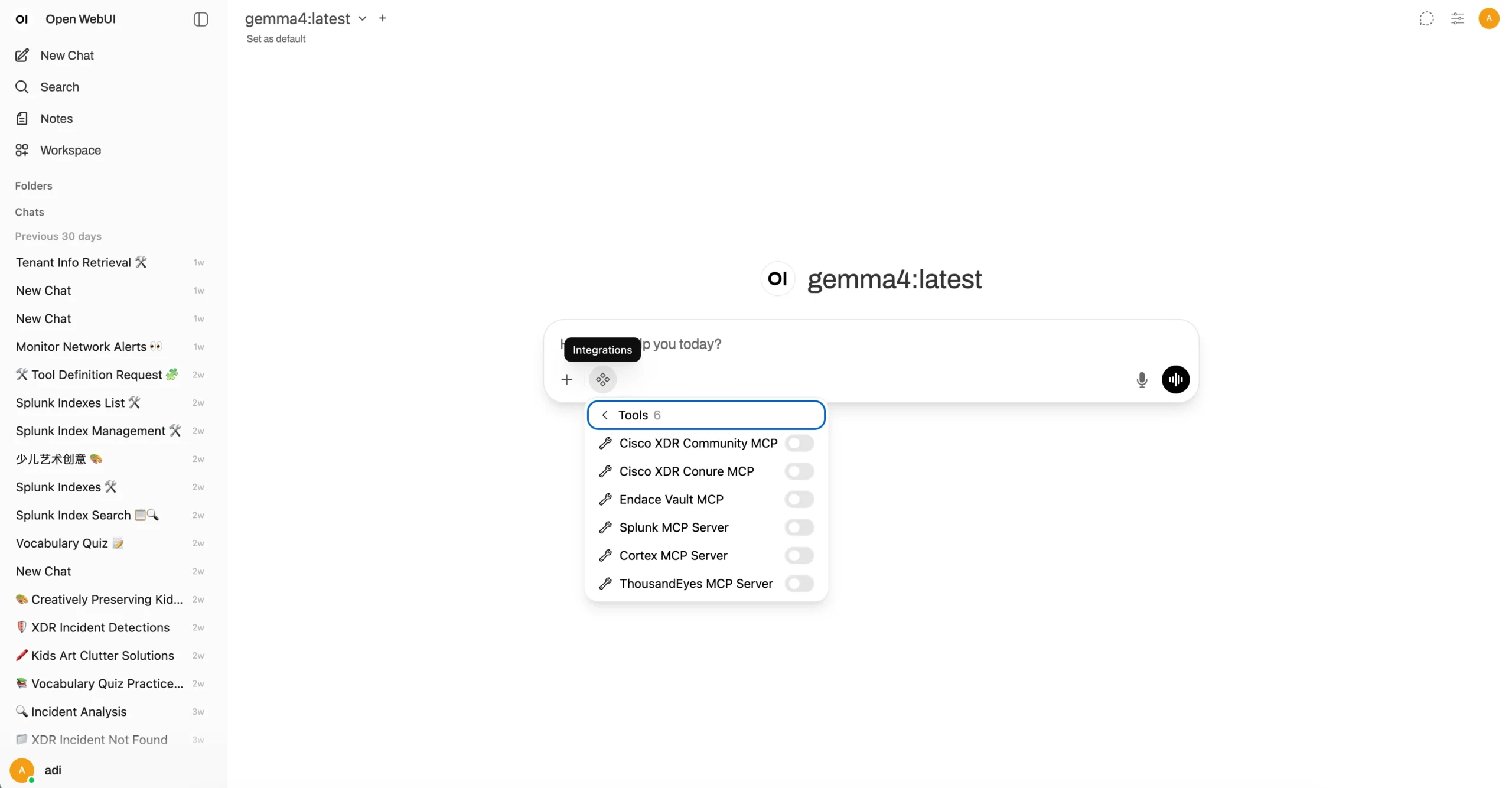
At this stage, the system was already useful. An analyst could ask a local model to explain a detection, summarize an incident, or help reason through suspicious activity. But the interaction model was still mostly chat-based: the analyst asks a question, the model answers, and the analyst drives the next step.
That is where OpenClaw changed the architecture.
Why OpenClaw Changed the Architecture
Open WebUI is a strong interface for human-driven interaction with a model. It is familiar, simple, and effective for direct questions. But many SOC tasks are not single-turn questions. They are workflows.
For example, an analyst may want to start with a high-level objective:
Investigate this suspicious login alert, gather relevant context, check for related detections, and summarize whether this should be escalated.
That type of task requires planning, tool use, intermediate reasoning, and a final summary. The analyst should not need to manually break every investigation into a dozen separate prompts.
I installed OpenClaw on a second VM and connected it back to the same Ollama model backend. This let the local model infrastructure support a more agentic workflow. Instead of only asking the model a question, the analyst could delegate a constrained investigation task.
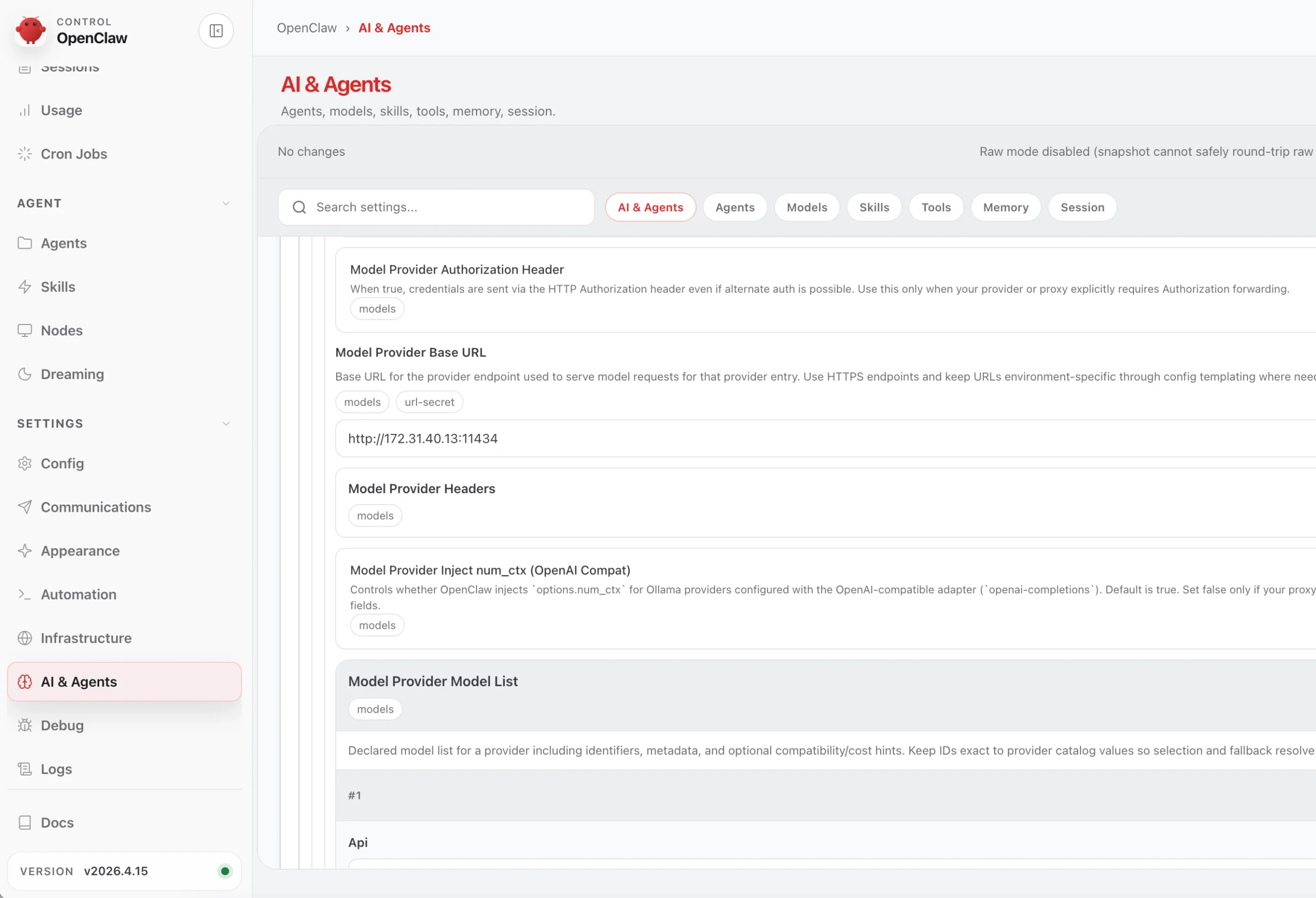
The distinction is important. The model still runs locally, but OpenClaw adds the orchestration layer around it. It can maintain task state, call tools, reason through multiple steps, and produce a final answer based on the evidence it gathered.
In practice, this moved the architecture from:
Human asks local model a question
to:
Human delegates a bounded investigation workflow to an agent using local models and approved tools
For SOC use cases, this is the more interesting direction. A chat interface can help explain an alert. An agentic workflow can help collect context, summarize findings, and leave the analyst with a clearer decision point.
Adding DefenseClaw and Splunk Visibility
Once OpenClaw entered the architecture, visibility became even more important. Agentic workflows can take multiple steps, call tools, and generate intermediate outputs. If a SOC team is going to trust that workflow, it needs an audit trail.That is where DefenseClaw came in. I installed DefenseClaw alongside the OpenClaw environment, to add inspection and audit visibility around the agentic AI workflow.
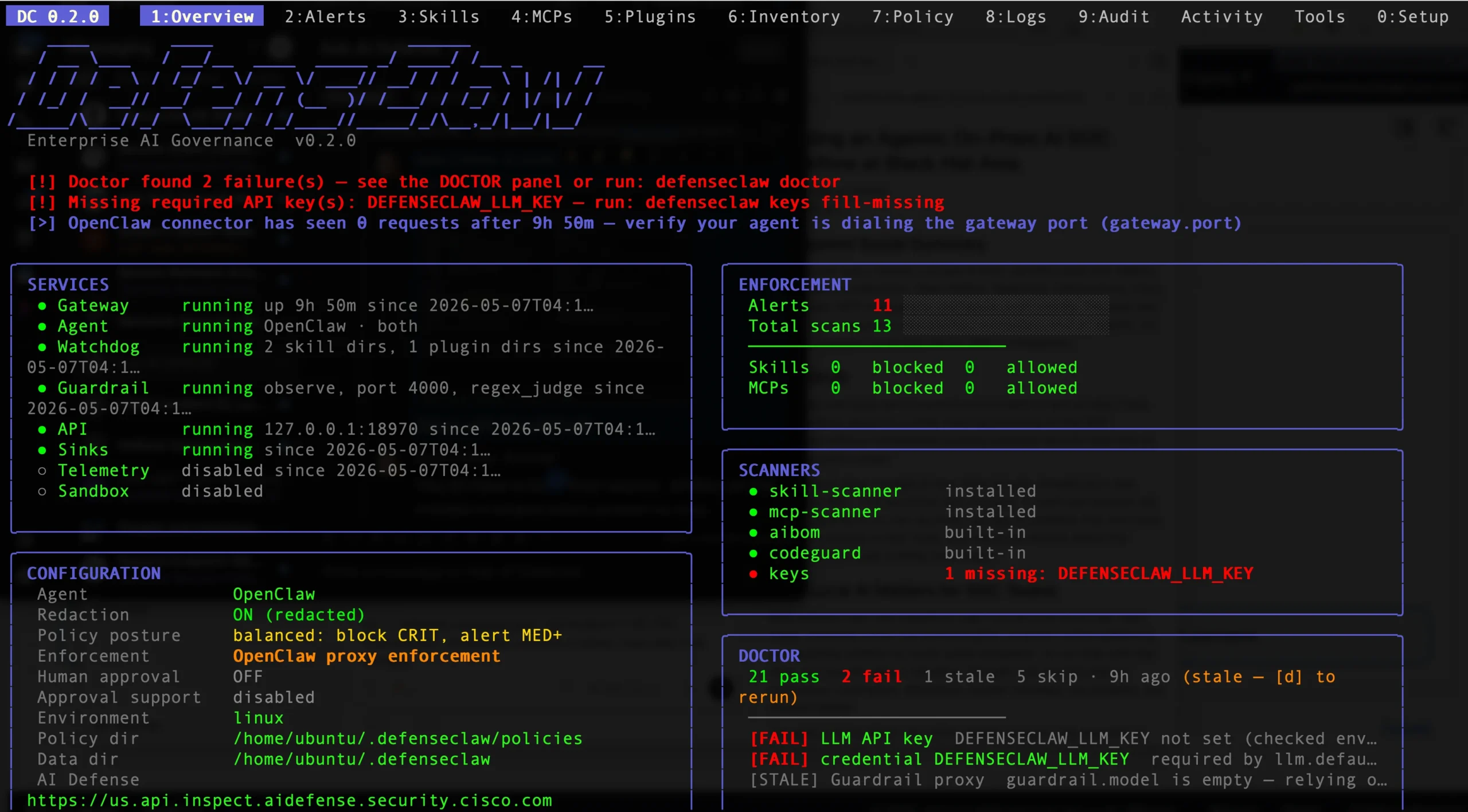
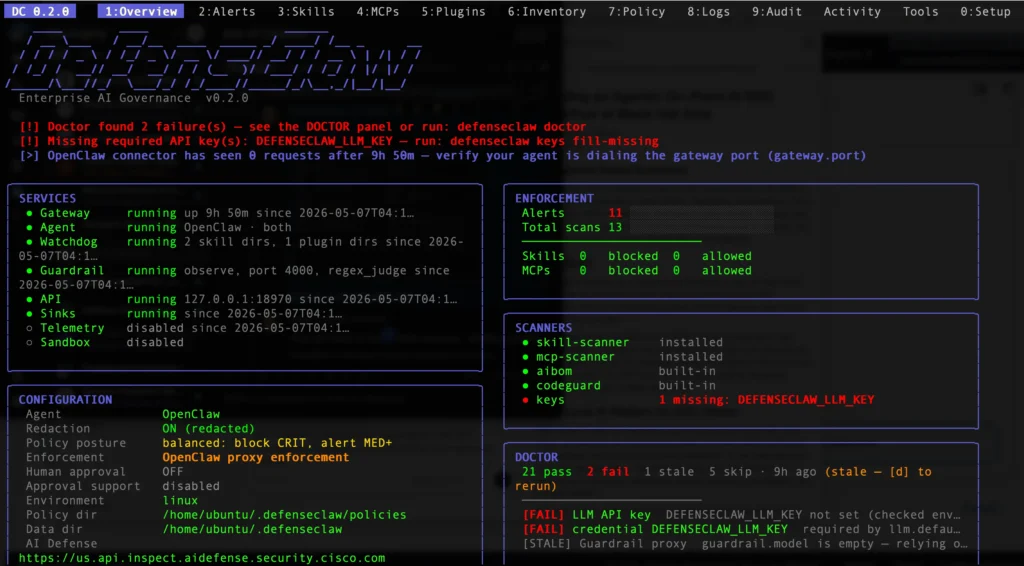
The DefenseClaw dashboard gave me a quick operational view of the agentic AI control plane, including whether OpenClaw enforcement was active, which local services were running, how many scans and alerts had been observed, and whether any setup checks still needed attention.
The next step was to send DefenseClaw inspection and audit events into Splunk using the HTTP Event Collector. This made Splunk the operational record for AI activity.
In Splunk, the defenseclaw index captured audit events from the OpenClaw workflow, including tool inspection actions such as inspect-tool-allow, the OpenClaw agent name, target MCP tool, severity, request ID, run ID, and timestamp.
Instead of treating AI prompts and agent actions as something separate from the SOC, the events became searchable alongside the rest of the security telemetry. That matters for more than one reason; Analysts can see what AI workflows were used and organizations get a record of AI activity instead of a black box.
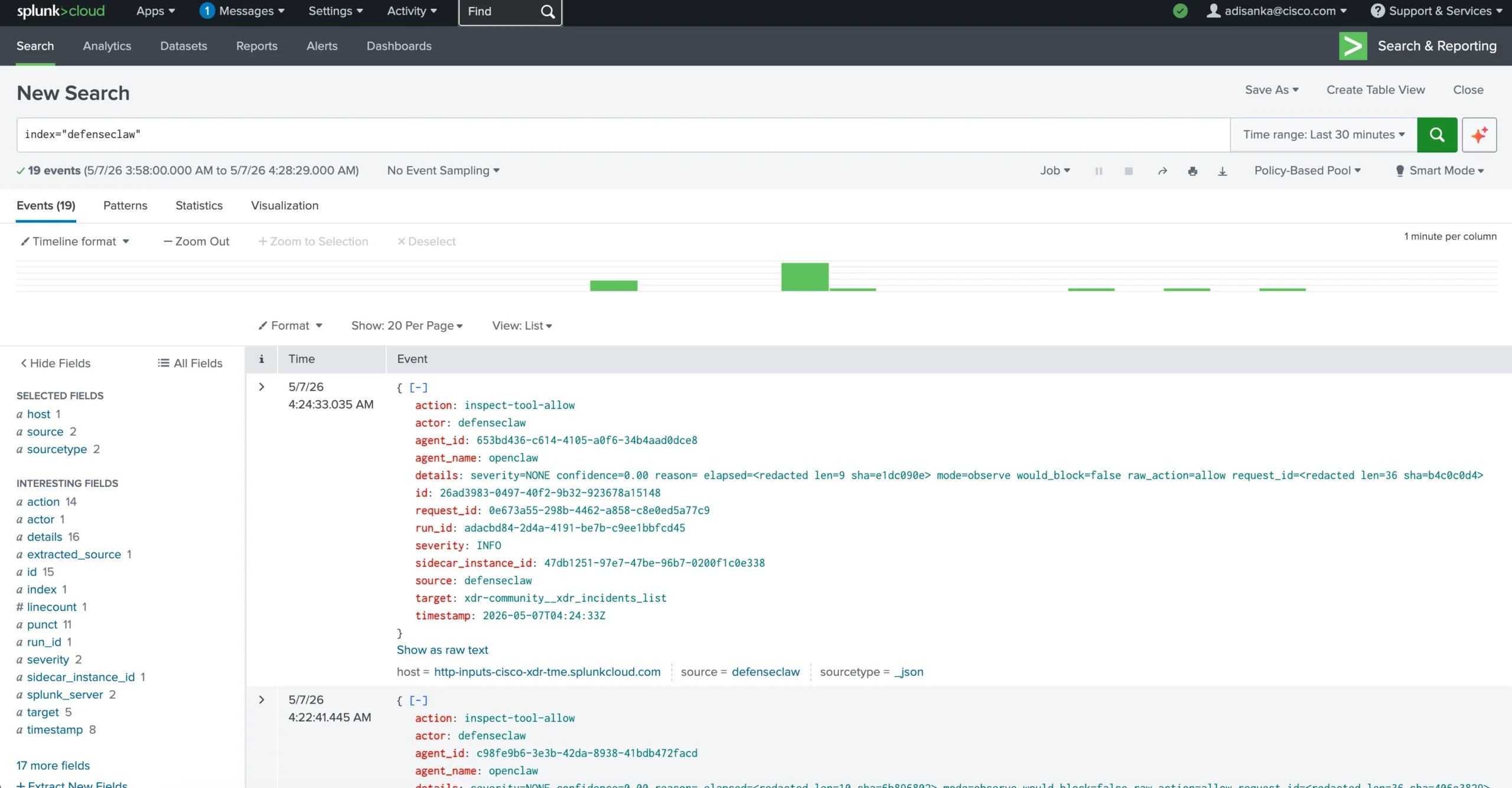
This was one of the most important parts of the project. Running a local model is useful. Running an agentic workflow is more powerful. But making the workflow inspectable and auditable is what makes it relevant to real security operations.
Potential SOC Use Cases
I targeted a few initial use cases focused on Tier 1 SOC workflows where analysts spend time gathering context, summarizing data, and deciding whether to escalate.
Incident Context
Another workflow was incident explanation. When an alert appears in a system such as Cisco XDR, a Tier 1 analyst may need help understanding what the detection means, what evidence is available, and what should be checked next.
The local assistant can summarize the alert in plain language, explain why the behavior may matter, and suggest the next few investigation steps. With MCP integrations, the workflow can also pull supporting context from connected SOC tools.
Log Summarization
Security logs are valuable, but they are rarely written for quick human reading. A local model can help turn noisy event data into a concise investigation summary:
- What happened?
- Which systems or users were involved?
- Is there related activity?
- What is the likely risk?
- What should the analyst verify next?
The key lesson was that the model should not receive unlimited raw logs. Preprocessing and filtering are still necessary. The better the context, the better the answer.
PCAP and Packet-Capture Workflows
The project also included Endace Vault API integration. The goal was not to dump full packet captures into a model. That would quickly run into context and performance limits.
The more practical pattern is targeted workflow assistance: identify the right capture window, request or locate relevant packet data, summarize metadata, and help guide the analyst toward the traffic that deserves deeper inspection.
For deeper packet analysis, specialized tooling and preprocessing are still required. The local model is helpful as an assistant, not as a replacement for packet analysis tools.
Agentic Investigation
The most interesting use case was the agentic one. Instead of asking a single question, the analyst gives OpenClaw a bounded objective. OpenClaw can then use the local model, call approved tools, reason through the task, and produce a summary.
DefenseClaw and Splunk visibility make that workflow much easier to evaluate and secure. The SOC can review not just the final answer, but the activity around the workflow.
Lessons Learned
The first lesson was that while local models are data sovereign, having an enterprise grade GPU is not the magic wand to fix all AI problems. Response times can still be slow.
The second lesson was that context matters more than almost anything else. Raw logs, long incident histories, and full packet captures can overwhelm the model or produce unfocused answers. Scripts, filters, retrieval, and summarization steps are necessary parts of the architecture.
The third lesson was that AI guardrails need visibility. It is not enough to inspect AI activity. Analysts and administrators need to see the audit trail, search it, and understand what happened. Sending DefenseClaw events into Splunk made the AI workflow feel more operational and less experimental.
The fourth lesson was about interfaces. Open WebUI is a good experience for direct chat with local models. OpenClaw is the better story when the goal is agentic SOC workflows. The two are related, but they solve different parts of the problem.
Finally, the project reinforced that on-prem AI changes the conversation. When models, prompts, responses, and inspection telemetry stay under local control, security teams can experiment with AI in a way that better fits sensitive SOC environments.
What Comes Next
There are several areas I want to improve.
Firstly, the tool context can get better. Cisco XDR, Splunk, Endace, and other SOC platforms all contain valuable context. Improving retrieval, MCP tool use, and workflow design will make the assistant more useful. The tool calling consistency is the most critical area for improvement in order for the AI to feel genuinely useful.
Next, the project needs more formal measurement. I want to track model latency, inspection overhead, event volume, false positives, and analyst feedback. Without metrics, it is difficult to compare model sizes, GPU choices, and workflow designs.
Finally, the deployment needs more production hardening. For a lab or event environment, local environment files are convenient. For production, secrets management, scalable state, and cleaner operational controls become more important.
Closing
The most interesting part of this project was not simply running Ollama on an NVIDIA GPU. The more important lesson was what happens when local inference is combined with an agentic interface, inspection, tool access, and Splunk auditability.
At Black Hat Asia, this became a practical way to explore what private AI for SOC workflows could look like. Open WebUI gave me the starting point. OpenClaw moved the project toward agentic investigation. DefenseClaw and Splunk made the activity visible. MCP integrations connected the assistant to the tools analysts already use.
For anyone who wants to look at the deployment approach, I published the project here.
Black Hat environments are useful proving grounds because they combine real traffic, real analysts, real tooling, and compressed deployment timelines. That is exactly the kind of environment where practical SOC innovation gets tested quickly.
Check out the other blogs from our team at Black Hat Asia 2026.
About Black Hat
Black Hat is the cybersecurity industry’s most established and in-depth security event series. Founded in 1997, these annual, multi-day events provide attendees with the latest in cybersecurity research, development, and trends. Driven by the needs of the community, Black Hat events showcase content directly from the community through Briefings presentations, Trainings courses, Summits, and more. As the event series where all career levels and academic disciplines convene to collaborate, network, and discuss the cybersecurity topics that matter most to them, attendees can find Black Hat events in the United States, Canada, Europe, Middle East and Africa, and Asia. For more information, please visit www.Black Hat.com.
We’d love to hear what you think! Ask a question and stay connected with Cisco Security on social media.
Cisco Security Social Media