
Running a global enterprise network takes a full roster. Between global IT teams, regional network teams, campus admins, and network operations centers (NOCs), there are often dozens of people interacting with your network every day. As those teams grow, so does the challenge of giving each user the right level of access without expanding risk.
Just like in any team sport, not every player should be able to fill every position or access everything.
That’s where site-based, role-based access control (RBAC) in Cisco Catalyst Center comes in. By allowing you to combine roles with specific locations through access groups, this new capability makes it easier to securely delegate operations and coordinate access while maintaining centralized control of your on-premises network.
Check out these five steps to get started with site-based RBAC in Catalyst Center.
Tip 1: Align access to your site hierarchy
Site-based RBAC in Catalyst Center ties user access to your network’s site hierarchy. This lets you control where users can operate in the network, in addition to what actions they can perform.
By aligning access with regions, campuses, and buildings, you can assign responsibilities with clearer boundaries and reduce the risk of changes outside a user’s scope.
How it works
Start by reviewing your site hierarchy in Catalyst Center and ensure it reflects how your network is currently organized. For example:
| Site level | Example owner |
| Global | Global network team |
| Region | Regional network team |
| Campus or building | Local IT admin |
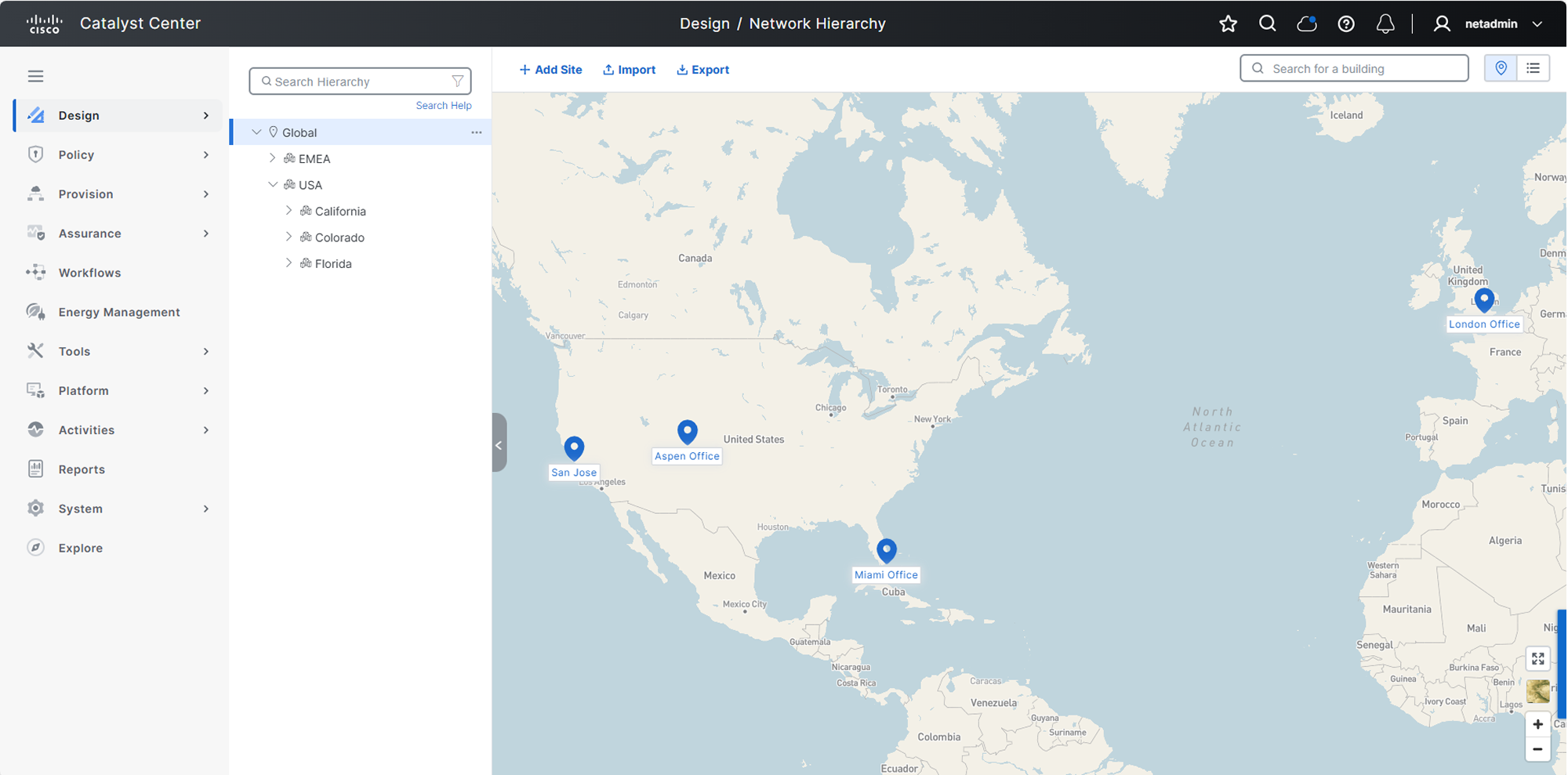
Figure 1. Align your Catalyst Center site hierarchy to how your network is organized
Once your site structure mirrors how your network is managed, you can assign roles tied to each of those sites. This creates clear operational boundaries and forms the foundation for secure site-based RBAC.
Tip 2: Build custom roles
With your site structure in place, the next step is to define what each user is allowed to do. Custom roles in Catalyst Center define which actions users can perform, such as configuring devices, deploying changes, or monitoring the network.
By aligning roles to real operational responsibilities, you can enforce least-privilege access and reduce the risk of unintended changes.
How it works
Catalyst Center includes several predefined roles, and you can also create custom roles to align with how your teams operate.
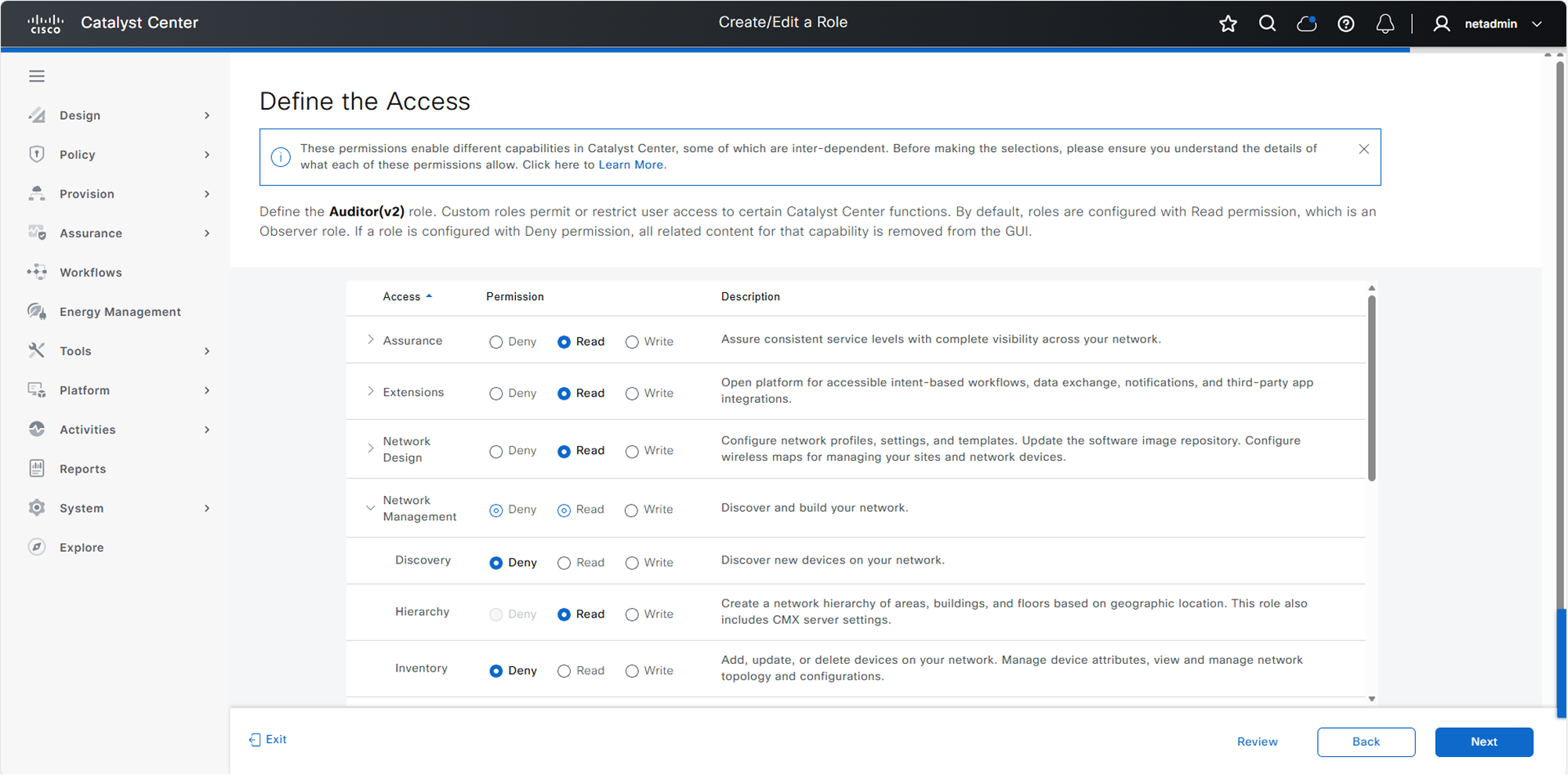
Figure 2. Create custom roles in Catalyst Center to define user access
Predefined roles include:
- Super admin: Full administrative access to the Catalyst Center deployment
- Network admin: Ability to manage network operations but cannot change system configurations
- Observer: Read-only access for monitoring and visibility; no access to sensitive data in the system settings
You can use these roles or create custom roles that reflect real operational responsibilities. Once roles are defined, you can assign them to users globally or combine them with sites in access groups so users can perform those actions only in the parts of the network they manage.
Tip 3: Use access groups to combine role and site
Instead of configuring access by user, you can standardize permissions and scale more efficiently. Access groups in Catalyst Center combine a role with a site, defining what a user can do and where that access applies. This makes it easy to assign the right permissions across your network.
Key components
- Site: An area, building, or floor within your Catalyst Center hierarchy
- Custom role: A set of permissions that permit and/or deny access to network devices
- Access group: An object that combines a custom role with a site, defining what a user can do and where they can do it
How it works
Access groups bring together the two elements defined previously: roles and sites.
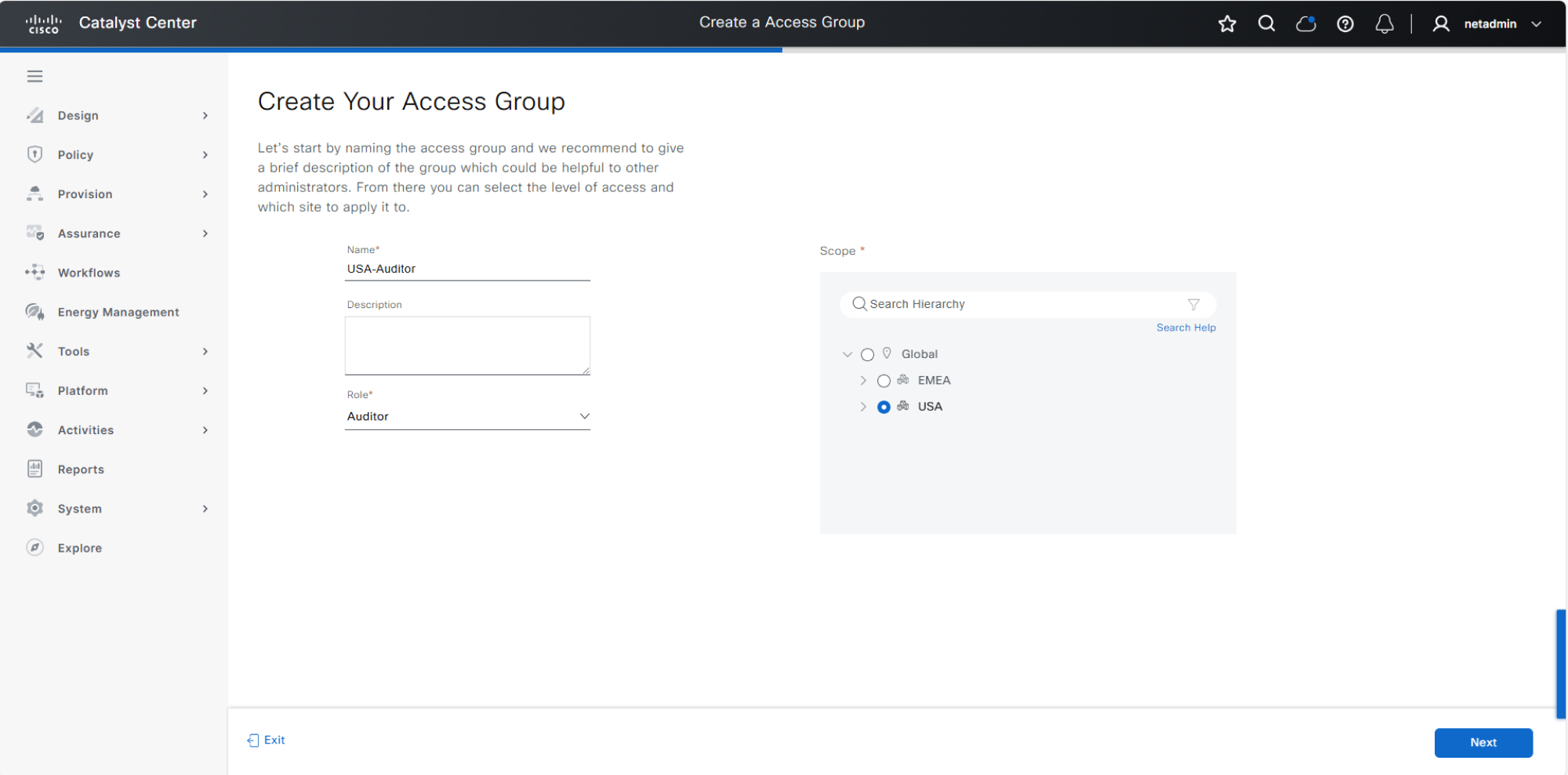
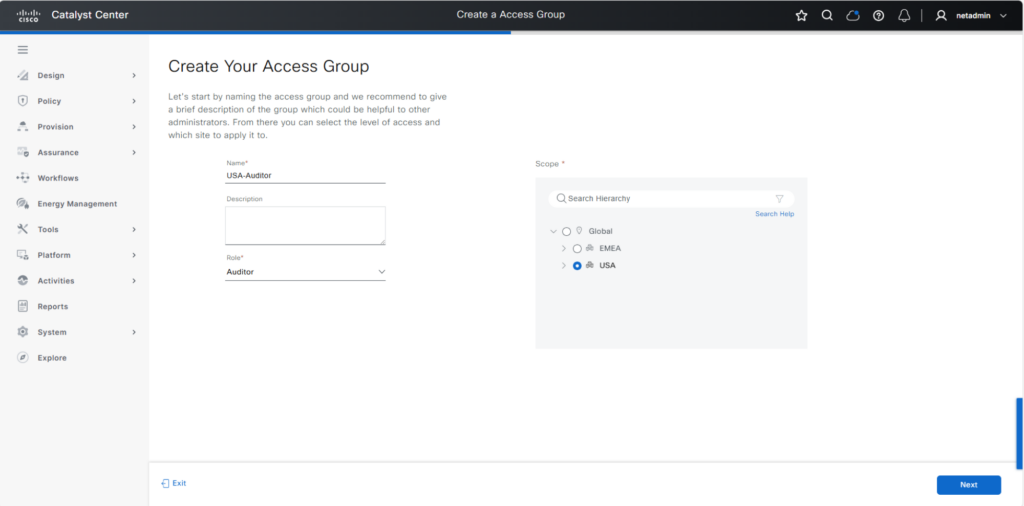
Figure 3. Create an access group in Catalyst Center to combine a user’s role with a site in your network
For example, you might create access groups like the following:
- Campus admin: San Jose building 23
- Regional operations: Americas
- NOC observer: global
Once these access groups are created, assigning permissions becomes much easier because you can add users to the appropriate group instead of configuring access individually.
Tip 4: Integrate with your identity systems
After you’ve defined access groups, the next step is to streamline how that access is assigned. Catalyst Center can integrate with external identity systems such as Cisco Identity Services Engine (ISE) using RADIUS and/or TACACS+ to authenticate users and assign access automatically.
This reduces manual effort and improves security by ensuring access is aligned with your organization’s identity policies.
How it works
Instead of manually assigning access for each user, connect Catalyst Center to your identity system and map users to the appropriate roles and access groups.
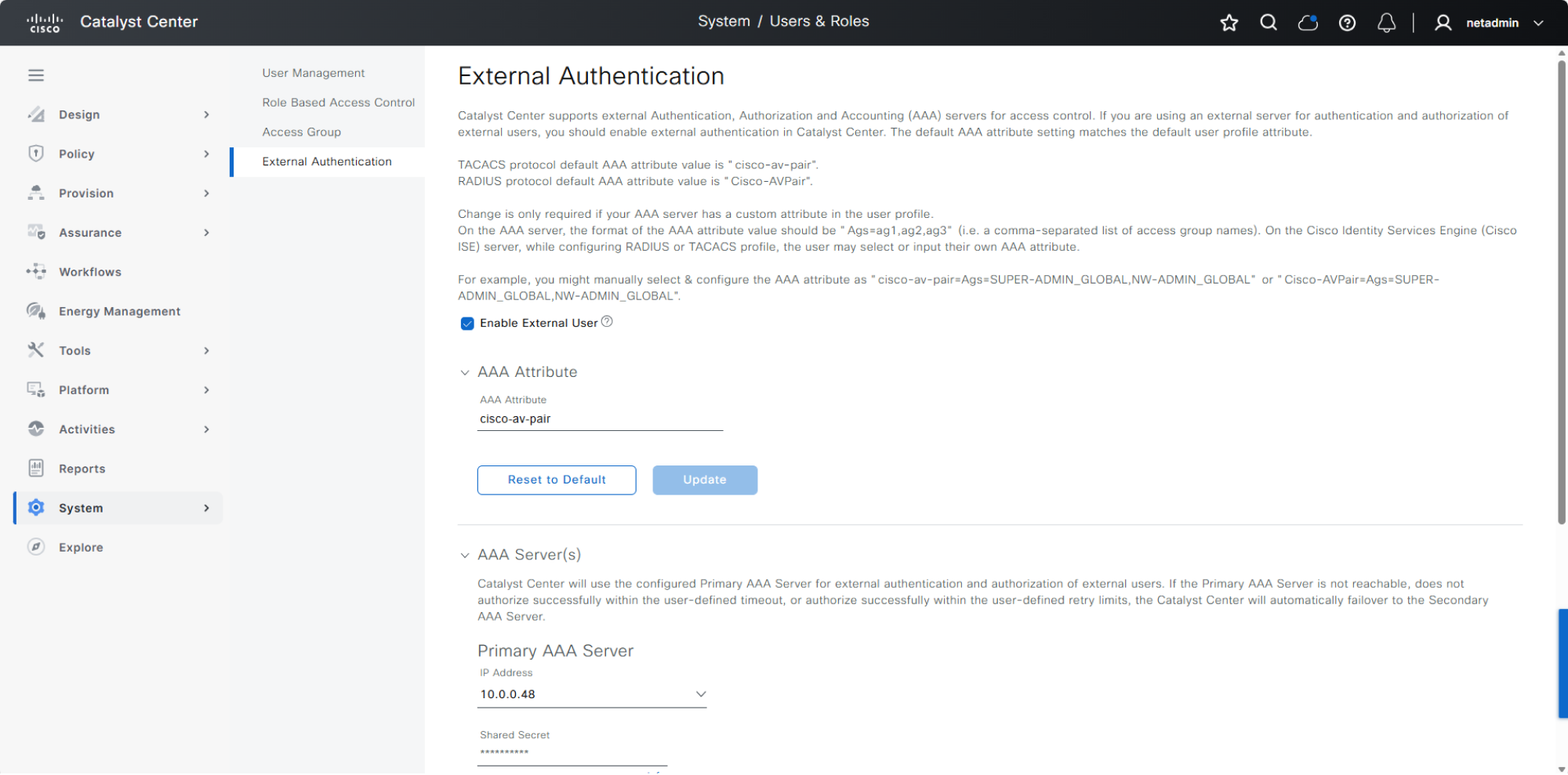
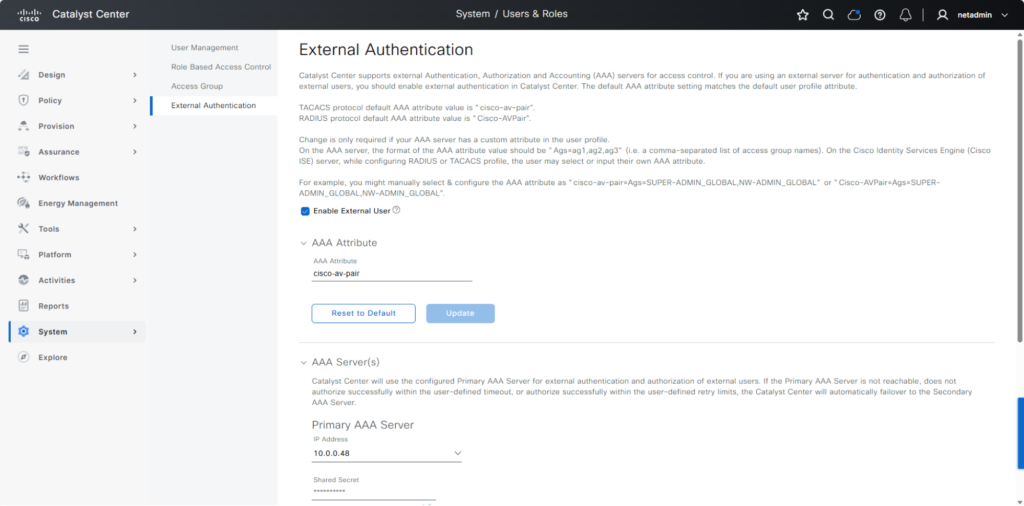
Figure 4. Integrate Catalyst Center with external identity systems like Cisco ISE to authenticate users and assign access automatically
For example, when a user logs in, their identity can automatically determine:
- Which role they receive
- Which sites they can access
This allows you to streamline onboarding and ensure users consistently receive access that matches their role and site, without additional configuration in Catalyst Center.
Tip 5: Validate access before rollout
As access assignment becomes more automated, it’s important to validate that users see and can do exactly what they should.
This helps prevent misconfigurations and strengthens security by ensuring least-privilege access is working as intended.
How it works
Test access from the user’s perspective by logging in with different roles or user types.
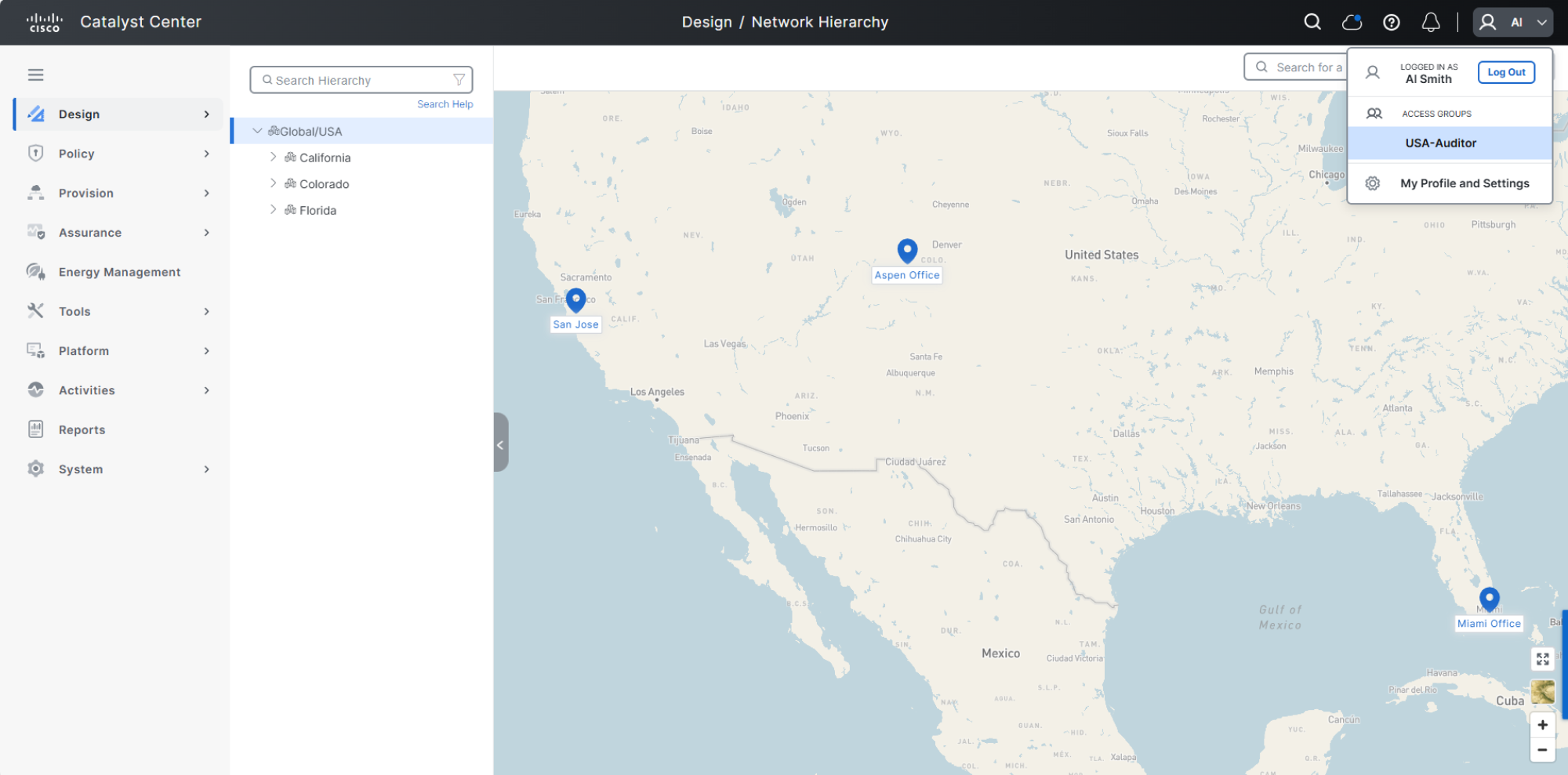
Figure 5. Validate that user USA-Auditor can see and can access only what they should
For example, verify that:
- A regional admin only sees their assigned sites
- A campus admin can manage local devices but not others
- A NOC user has visibility without configuration access
A quick validation step helps ensure your RBAC model is working correctly before scaling it across your organization.
Orchestrate better team performance with site-based RBAC
Site-based RBAC in Catalyst Center helps distributed IT teams manage their part of the network with access that matches their responsibilities. By combining roles and locations through access groups, you can delegate operations more confidently while maintaining clearer control across your environment.
Get started with site-based RBAC in Catalyst Center
Additional resources:
Watch how to configure site-based RBAC